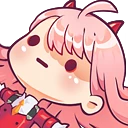
neko_killua_sip Discord emoji
Also called: animedrink
Tags
No tags yet. Add the first one.
Discord preview
Share & embed
How to add it
Discord
- Download the file with the button above.
- Open your server's settings and go to Emoji.
- Click Upload Emoji and pick the file.
- Type its name between colons in any channel to use it.
Slack
- Download the file with the button above.
- In Slack, open the emoji picker and choose Add Emoji.
- Upload the file and give it a name.
- Use it by typing its name between colons in any message.
Guilded
- Download the file with the button above.
- Open your server's settings and go to Emotes.
- Click Upload emote, pick the file and name it.
- Use it from the emote picker in any channel.
Twitch
- Download the file with the button above.
- Open your Creator Dashboard and go to Viewer Rewards, then Emotes.
- Upload the file to an emote slot; Twitch resizes it for you.
- Set its code and save, and your subscribers can use it.
Microsoft Teams
- Download the file with the button above.
- In a Teams chat, open the emoji picker.
- Choose Your emojis, then the plus to add a custom emoji.
- Upload the file and give it a name.
- Save the image to your phone.
- In a WeChat chat, open the Stickers panel.
- Tap the heart tab, then the plus to add a sticker.
- Pick the image; it is now in your favourites.
Servers using this emoji


Quiet 210 online
Rapcod • Asia • sfw • ~S x tag • Nitro • Anime
We're chill and if you haven't joined yet then it's your fault "𝘀𝗸𝘂𝗹𝗹 𝗶𝘀𝘀𝘂𝗲𝘀"


Very active 677 online
One Piece VRC
VRChat's One Piece Community for anyone who is interested in One Piece and plays VRChat!
2.6K members 0 upvotes
Request to Join Server — One Piece VRC (opens in a new tab)
Platinum

Very active 16 online
Kosupure High - Home of Cosplayers
A friendly cosplay, anime and nerd culture community for sharing outfits, fandoms, games, art and making new friends
91 members 8 upvotes
Join Server — Kosupure High - Home of Cosplayers (opens in a new tab)