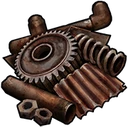
scrap Discord emoji
Also called: 1Materials_Scrap, Scrap
Tags
No tags yet. Add the first one.
Discord preview
Share & embed
How to add it
Discord
- Download the file with the button above.
- Open your server's settings and go to Emoji.
- Click Upload Emoji and pick the file.
- Type its name between colons in any channel to use it.
Slack
- Download the file with the button above.
- In Slack, open the emoji picker and choose Add Emoji.
- Upload the file and give it a name.
- Use it by typing its name between colons in any message.
Guilded
- Download the file with the button above.
- Open your server's settings and go to Emotes.
- Click Upload emote, pick the file and name it.
- Use it from the emote picker in any channel.
Twitch
- Download the file with the button above.
- Open your Creator Dashboard and go to Viewer Rewards, then Emotes.
- Upload the file to an emote slot; Twitch resizes it for you.
- Set its code and save, and your subscribers can use it.
Microsoft Teams
- Download the file with the button above.
- In a Teams chat, open the emoji picker.
- Choose Your emojis, then the plus to add a custom emoji.
- Upload the file and give it a name.
- Save the image to your phone.
- In a WeChat chat, open the Stickers panel.
- Tap the heart tab, then the plus to add a sticker.
- Pick the image; it is now in your favourites.
Servers using this emoji


Very active 39.5K online
Rust Console Edition
Official Discord server for Rust Console Edition where you can interact with the community and members of Double Eleven.
230K members 0 upvotes
Request to Join Server — Rust Console Edition (opens in a new tab)

Active 14.8K online
Rust Mobile
Welcome to the Official Rust Mobile Discord Server – Find teammates, get updates, join events, and dominate the battlefield together!
193K members 0 upvotes
Request to Join Server — Rust Mobile (opens in a new tab)

Very active 27.8K online
Werewolf Gaming.co Rust
Werewolf Gaming.co the professionals of Modded Rust!
164K members 0 upvotes
Request to Join Server — Werewolf Gaming.co Rust (opens in a new tab)