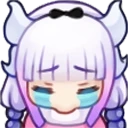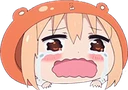
zenitsunotlikethis Discord emoji
Also called: A_zenitsunotlikethis, ahhhhhhh
Tags
No tags yet. Add the first one.
Discord preview
Share & embed
How to add it
Discord
- Download the file with the button above.
- Open your server's settings and go to Emoji.
- Click Upload Emoji and pick the file.
- Type its name between colons in any channel to use it.
Slack
- Download the file with the button above.
- In Slack, open the emoji picker and choose Add Emoji.
- Upload the file and give it a name.
- Use it by typing its name between colons in any message.
Guilded
- Download the file with the button above.
- Open your server's settings and go to Emotes.
- Click Upload emote, pick the file and name it.
- Use it from the emote picker in any channel.
Twitch
- Download the file with the button above.
- Open your Creator Dashboard and go to Viewer Rewards, then Emotes.
- Upload the file to an emote slot; Twitch resizes it for you.
- Set its code and save, and your subscribers can use it.
Microsoft Teams
- Download the file with the button above.
- In a Teams chat, open the emoji picker.
- Choose Your emojis, then the plus to add a custom emoji.
- Upload the file and give it a name.
- Save the image to your phone.
- In a WeChat chat, open the Stickers panel.
- Tap the heart tab, then the plus to add a sticker.
- Pick the image; it is now in your favourites.
Servers using this emoji


Quiet
CMCLIENT: Free cosmetics, emotes & highest possible FPS! Unleash the best Minecraft experience 🚀
- Online
- 4.2K
- Members
- 284K
- Upvotes
- 0


Very active
⭐Welcome to Anime Infinity a NEW Anime Tower Defense Game!⭐
- Online
- 2.2K
- Members
- 16.6K
- Upvotes
- 0


Quiet
We're chill and if you haven't joined yet then it's your fault "𝘀𝗸𝘂𝗹𝗹 𝗶𝘀𝘀𝘂𝗲𝘀"
- Online
- 191
- Members
- 14.8K
- Upvotes
- 0


Active
Willkommen bei den Onitakus! Ein leidenschaftliche Community in den Bereichen Anime, Manga, Gaming, Cosplay und Zeichnen
- Online
- 102
- Members
- 1.6K
- Upvotes
- 0