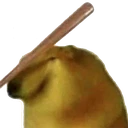
AlhaithamNod animated Discord emoji
Also called: alhaitham_nod, yesyesyes_zc
Tags
No tags yet. Add the first one.
Discord preview
Share & embed
How to add it
Discord
- Download the file with the button above.
- Open your server's settings and go to Emoji.
- Click Upload Emoji and pick the file.
- Type its name between colons in any channel to use it.
Slack
- Download the file with the button above.
- In Slack, open the emoji picker and choose Add Emoji.
- Upload the file and give it a name.
- Use it by typing its name between colons in any message.
Guilded
- Download the file with the button above.
- Open your server's settings and go to Emotes.
- Click Upload emote, pick the file and name it.
- Use it from the emote picker in any channel.
Twitch
- Download the file with the button above.
- Open your Creator Dashboard and go to Viewer Rewards, then Emotes.
- Upload the file to an emote slot; Twitch resizes it for you.
- Set its code and save, and your subscribers can use it.
Microsoft Teams
- Download the file with the button above.
- In a Teams chat, open the emoji picker.
- Choose Your emojis, then the plus to add a custom emoji.
- Upload the file and give it a name.
- Save the image to your phone.
- In a WeChat chat, open the Stickers panel.
- Tap the heart tab, then the plus to add a sticker.
- Pick the image; it is now in your favourites.
Servers using this emoji


Very active 36.5K online
Genshin Impact Tavern
Join us for fun, chaos or order, you choose, and events to earn Mora to redeem for Genshin merchandise, and more!
198K members 0 upvotes
Request to Join Server — Genshin Impact Tavern (opens in a new tab)

Quiet 223 online
Rapcod • Asia • sfw • ~S x tag • Nitro • Anime
We're chill and if you haven't joined yet then it's your fault "𝘀𝗸𝘂𝗹𝗹 𝗶𝘀𝘀𝘂𝗲𝘀"


Active 942 online
Zekcord | Gaming • Anime • Social • Fun • Chill • Active • JJK • Jujutsu Kaisen • Memes • Emojis
Zekcord is a super active community server with members from all around the globe, fewer rules & enjoyable environment!