
Upvote your server from inside Discord
The official TheDiscordList bot brings voting into your own server. One slash command, no browser tab, and the vote counts exactly as it would on the site. Here is every command it has and the rules behind them.
The TheDiscordList bot brings voting into your own server. Your members run one command in a channel they are already in, and the vote counts exactly as it would on the site — same total, same ranking, same achievements.
This guide covers what the bot does, every command it has, and the rules behind voting.
Add the bot
Add the TheDiscordList bot to your server, and make sure the server itself is listed on thediscordlist.com — the bot answers about this server, so it needs a listing to talk about. If there isn't one yet, the bot says so and hands you the link. Listing is free and takes about a minute.
/upvote — vote for this server
Run /upvote in any channel. The bot records the vote against this server's listing and replies with the new total and when you can vote again.
Three things worth knowing:
- It only votes for the server it runs in. There is no listing argument to point somewhere else — nobody can farm votes for another server from your channels.
- One vote per person, per server, every 12 hours. Run it again inside that window and the bot tells you exactly when your next one lands.
- The timer is per server. Waiting on the cooldown here does not stop anyone voting for other servers.
The first time someone votes, their TheDiscordList account is created from their Discord profile automatically. No signup, no password, nothing to fill in.
If the listing is hidden, still in review, or its invite has gone stale, voting is off until that is fixed. The bot points you to the dashboard, which shows which one it is.
/listing — show the listing card
Pulls up the listing your visitors see: summary, categories, member and online counts, vote total, and when it was last bumped, with a button through to the page.
Handy in a welcome channel, or pinned next to your vote reminder.
/leaderboard — who is out in front
A ranked top ten, drawn as a card. Two options:
board — whose ranking to show:
- This server's members (default) — everyone who has bumped or upvoted this listing, ranked by bump points with votes breaking ties
- Members site-wide — the directory's top supporters
- Servers — the listings leading overall
period — how far back it looks: all time, this year, this month, or this week.
Running it with no options gives you this server's members, all time. Your bumping staff lead it; post it and watch your regulars race for the spots below them.
/stats — for whoever runs the listing
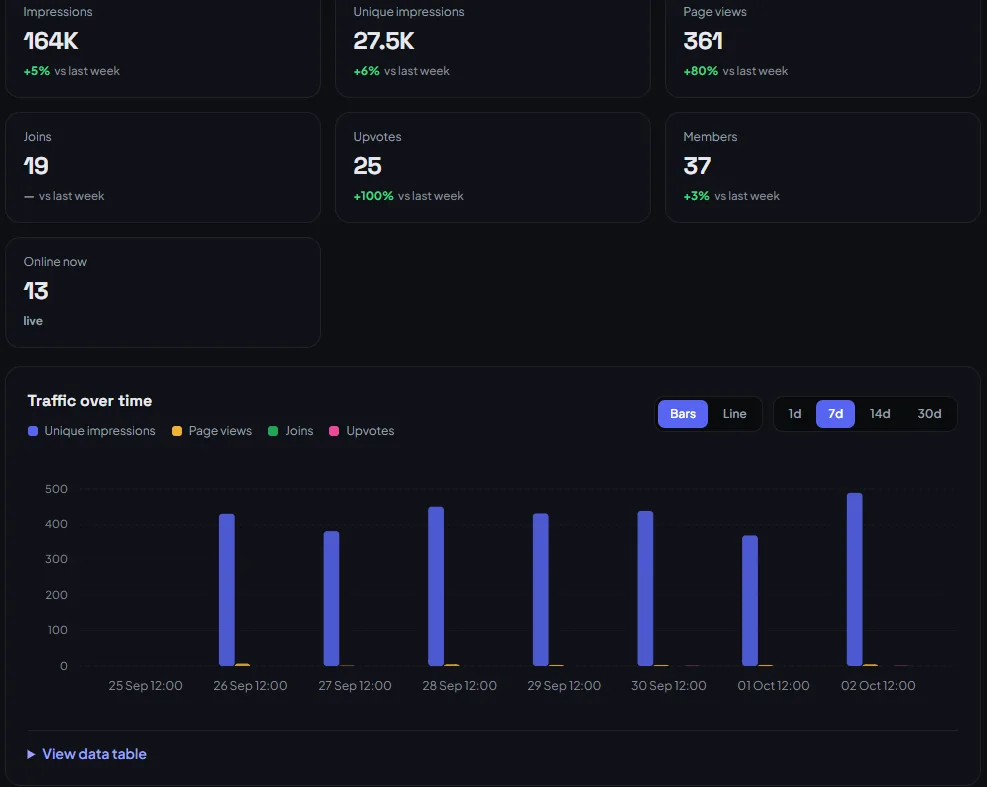
Points you at the manage page: impressions, traffic sources, referrers and bump history, kept up to the minute.
No figures in the card itself, on purpose. /stats answers in a public channel, so any number printed there is either read by nobody it helps or by everybody it does not. The manage page already knows who is asking.
Getting the most out of it
- Pin a short message with
/upvotein your announcements or bump channel. Members who mean to vote mostly just forget. - Post
/leaderboardweekly. A visible ranking does more for votes than a reminder does. - Votes count toward your listing's ranking over the last seven days, so a steady trickle beats one big push.
Troubleshooting
The commands don't show up. Slash commands can take a few minutes to appear after the bot joins. Restart your client if they still aren't there.
"This server is not on TheDiscordList yet." The bot matches your server to its listing automatically — there is nothing to link. If your server is listed and you still see this, get in touch.
"…is not publicly listed right now." The listing is hidden, awaiting review, or its invite needs replacing. The dashboard shows which.
A vote didn't count. Check the reply: on cooldown, it tells you when the next one lands. Votes cast on the site and votes cast here share the same timer.