
Why Your Server Listing Is (or Isn't) on Google
Which TheDiscordList pages search engines may show, what the automatic quality check looks for, and how to write a summary and description that pass.
A listing on TheDiscordList is a public web page about your server, and search engines can find it. Whether they show it depends mostly on what you write. These are the rules our pages follow, and how to check where yours stands.
Which listing pages search engines may show
A server page is offered to search engines when three things are true:
- It is publicly listed. Approved, not hidden by you, and with a working invite.
- It is not marked NSFW. Adult listings are never offered to search engines.
- It passed the quality check. Every listing is reviewed automatically. A page that would add nothing to a search result is kept out until you fix it.
The page still works for visitors on the site either way; only search engines skip it.
What the quality check looks for
The review flags descriptions that:
- have fewer than 20 words about what the community is,
- read as a list of keywords rather than sentences,
- are not real text, or look like a test or placeholder,
- contain instructions aimed at search engines or AI systems instead of readers.
There is a separate check for copies. If your description is the same as an older listing's, search engines are shown that one instead, and yours drops out until you rewrite it in your own words. That catches a common habit: pasting one description into every directory, or into two listings for the same community.
If your listing has a problem, the manage page tells you. A notice titled This listing is weak in search names the reason, and the page is checked again automatically after you save. While you type, the description field also counts your words against the minimum.
Your summary is your Google snippet
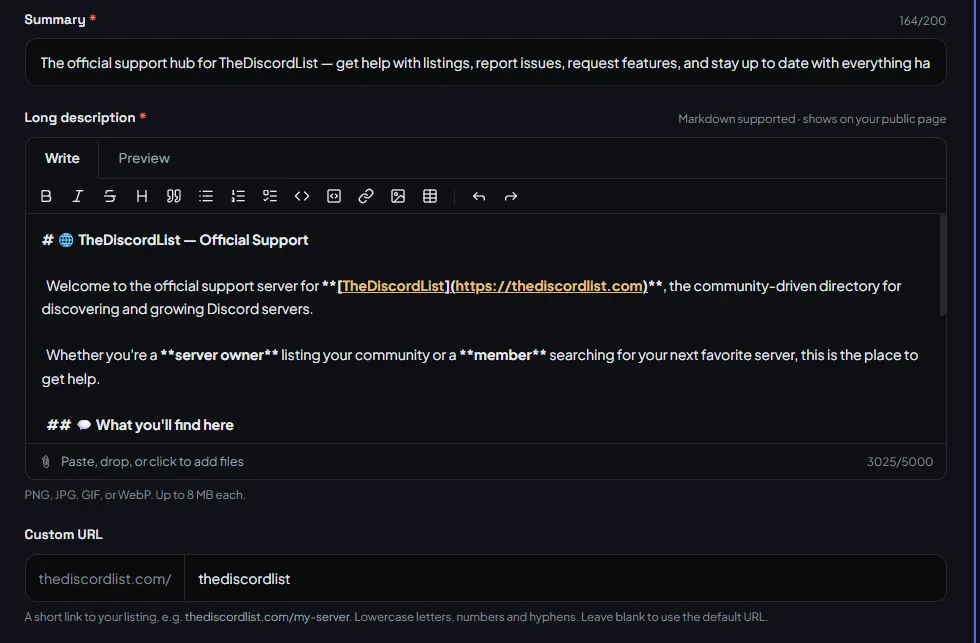
The Summary, up to 200 characters, is the line under your page title in search results, and the same line on your card everywhere on the site. Write it for a stranger: who the server is for and what happens there, in plain words. "Valorant team-finding and scrims for EU players, Diamond and up" earns a click; "the best community on Discord" does not.
The page title is built from your server name and your first category, so that category matters twice: it decides where you appear on the site and what your search result says.
Your description is what makes the page worth indexing
The description supports Markdown and runs up to 5,000 characters. Use the room for what a searcher wants to know before joining:
- what people actually do there, day to day,
- who it is for, and who it is not for,
- the events, channels or projects that make it different,
- the rules that matter, in a sentence or two.
Headings and lists render, so break it up. Skip decorative dividers and long rows of emoji; they read as noise to people and to the review.
Categories, tags and their pages
You get two categories (more on Premium) and up to five tags. Every category, tag and language also has its own landing page, and those pages are offered to search engines once ten listings share them. Reusing an established tag puts you on a page that is already indexed; a one-off tag does not. Choosing tags goes into the details.
A checklist before you save
- The summary says who it is for and what happens, in under 200 characters.
- The description is a few short paragraphs in your own words, not pasted from another directory.
- The first category is the one a searcher would type.
- Tags reuse existing ones where they fit.
- The invite works.
Then give it time. Search engines revisit pages on their own schedule, and a listing that passes today can take days or weeks to appear.
List your server, or open your listing's Details tab to check yours.
