
How to Choose Tags for Your Discord Server Listing
Categories put you in a big room. Tags are how someone typing three specific words finds you inside it, and half the tags on the average listing could describe any server on Discord.
Tags are the search surface of your listing. Categories decide which room you stand in; tags decide whether anyone finds you inside it.
The job a tag does
A directory's search matches a query against your name, your description and your tags. On TheDiscordList your name, summary and description match first and tags come after them, so tags earn their keep elsewhere: every established tag has its own browse page and filter, which is extra traffic prose never gets.
So the test for a tag is not "is this true about my server". It is: would somebody type this into a search box while looking for a server like mine?
"Friendly" is true of thousands of servers and nobody searches it. "ffxiv-raiding" is searched by exactly the people you want.
Four kinds of tags, ranked by value
| Tag type | Example | Search volume | Competition |
|---|---|---|---|
| Subject | minecraft, valorant, python |
High | Very high |
| Subject plus qualifier | minecraft-smp, valorant-scrims |
Medium | Low |
| Audience or format | lgbtq, voice-chat, study-group |
Medium | Medium |
| Vibe | chill, friendly, active |
Near zero | Irrelevant |
Fill the middle two rows first. Row one is worth a slot or two because it is how you appear in broad filters at all, but you will not win it on relevance alone. Row four is dead weight; every slot spent on chill is a slot not spent on something searchable.
Pick tags by writing the search first
A method that takes about ten minutes:
- Write down five things a person could be looking for that your server genuinely answers. Real phrasing, not marketing: "a server where I can get my art critiqued", "people to run dungeons with at 2am in EU hours".
- Reduce each to the two or three words that person would actually type.
- Check which of those already exist as tags on the directory. Established tags have browse pages and accumulated traffic; a brand-new one-off tag has nobody arriving on it.
- Keep the ones a search index can tell apart. Drop anything describing tone rather than subject.
- Spend your remaining slots on adjacent terms: the game your community also plays, the framework next to the language, the fandom next door.
Step five is where most of the surprise traffic comes from. A programming server tagged only programming is found by nobody in particular. The same server tagged rust, webdev, code-review and open-source gets four distinct streams of people who already know what they want.
Specificity beats coverage
The instinct is to fill every slot with the biggest words available. That backfires twice.
A tag set of gaming, anime, music, memes, social uses all five slots and tells a browser nothing. It also tells the search index that you are a weak match for five popular queries instead of a strong match for two narrow ones.
It also sets a false expectation. People arrive for anime, find a Minecraft server, and leave. Joins that leave within a day cost you more in retention signals than they gain you in raw numbers.
If you genuinely span several subjects, say so in the description and tag the two you are actually best at.
Tags rot, so re-read them quarterly
A server that was 70% one game two years ago is often a general hangout now, and the tags still describe the game. Everyone arriving from that tag bounces, and the bounce is invisible to you unless you go looking.
Once a quarter: open your three busiest channels, read a day of messages, and check that your tags describe what you just read. If your most active channel is not represented anywhere in your tags, replace your weakest tag with it. If your server has drifted from a game into general anime discussion, the category needs updating along with the tags.
Formatting details that quietly matter
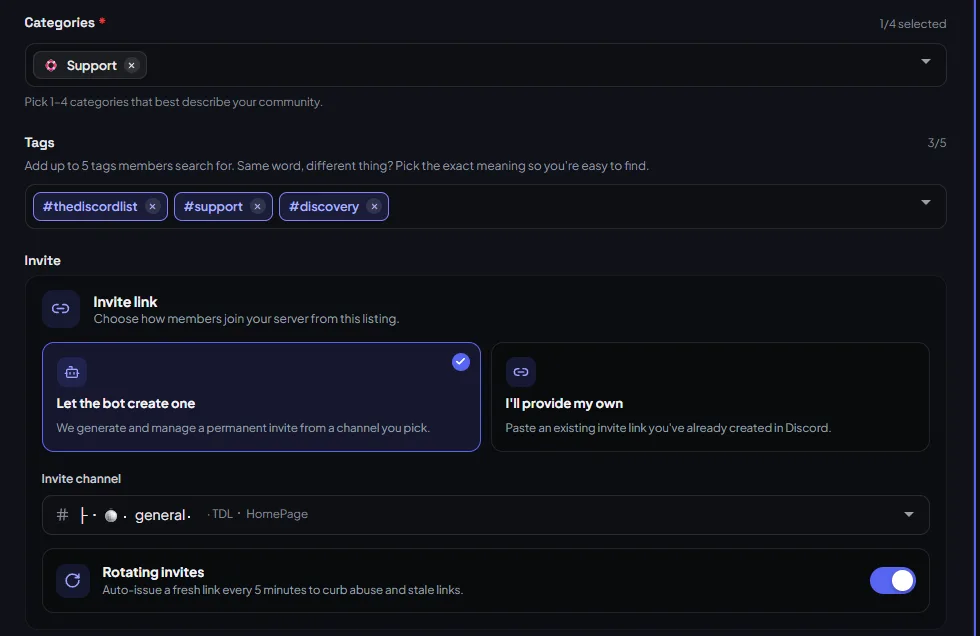
- Reuse what already exists. When you type a tag, TheDiscordList marks each suggestion as an Existing tag or a Custom tag. Pick the existing one: it already has a page, and a tag page only shows up in search once ten listings share it.
- Avoid internal shorthand. Abbreviations only your members understand are invisible to everyone else.
- Keep them short. Tags are saved in lowercase kebab-case and capped at 30 characters, so emoji and punctuation do not survive anyway.
- Do not simply repeat your category unless the tag page is genuinely separate and pulls its own traffic.
Test them, one change at a time
Tags are one of the few things you can test cheaply. Change two, leave everything else alone, and compare your listing's views over the next fortnight. Because bump frequency dominates short-term views, keep your bump routine identical across the test or you will learn nothing from it.
Next
Open your listing and count how many current tags could describe a server in a completely different subject. Replace each of those with a term from step two above, then check how the servers ranking above you in your own category, sorted by Bump score, have tagged themselves.
