
How to Find Discord Servers Worth Joining
Most server lists show you the biggest servers or the ones that bumped last. Here is how to find a community that is actually active, the right size, and about the thing you care about, in about five minutes.
Finding a Discord server is easy. Finding one you still open a month later is the hard part. The big servers are loud and anonymous, the tiny ones are often empty, and a server list sorted by who bumped most recently tells you very little about either.
This is the approach that works, using TheDiscordList as the example. The same habits apply on any directory.
1. Start with what you will do there, not a topic
"Gaming" returns hundreds of servers. "Valorant team-finding for EU players around Gold" returns a handful, and those are the ones worth opening. Before you search, decide three things:
- The activity: playing together, chatting, studying, sharing art, getting help.
- The size you want: a few hundred people where regulars know each other, or thousands where something is always happening.
- The language and time zone you will actually be awake in.
2. Search by tag, then narrow with filters
Type the game, hobby or topic into the search box. Tags work better than words: every tag has its own page, like Fortnite servers, that collects every community using it, and the tag directory lets you browse them by popularity.
Then open Filters:
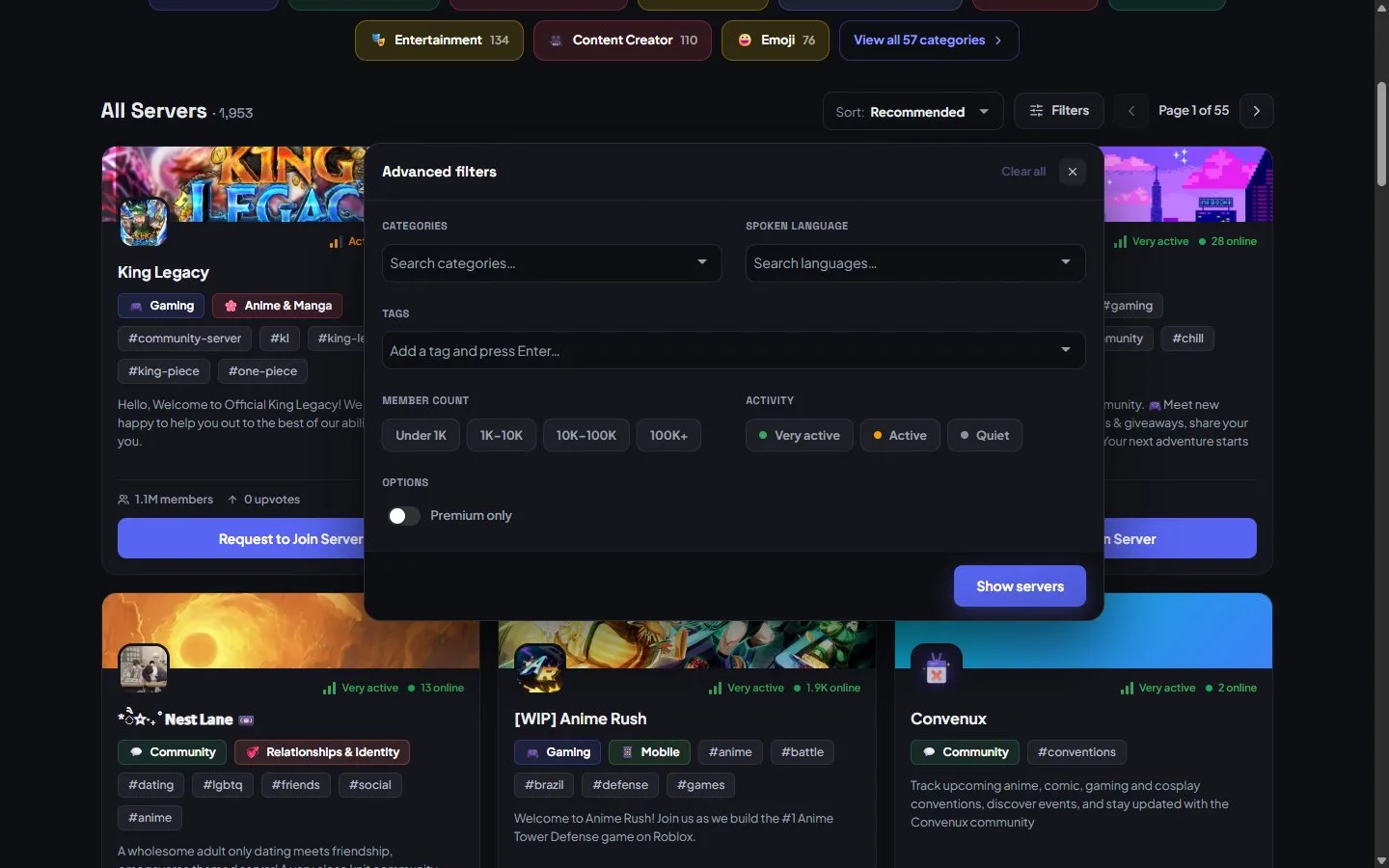
Filter by language, size and activity before you read a single description.
- Spoken language removes most of the servers you could never take part in.
- Member count picks the size: under 1K, 1K–10K, 10K–100K or 100K+.
- Activity is the filter most people miss. Very active and Active are measured, not claimed, so it is the fastest way to skip servers that look big and are silent.
3. Read the card like a skeptic
Every card shows the activity level and how many people are online right now next to the member count. Compare them. A server with 20,000 members and 40 online is mostly a graveyard; one with 800 members and 120 online is a living room.
Then read the first line of the summary. Specific is good ("weekly art critique on Sundays"). Generic is a warning ("the best chill community on Discord!!").
4. Let Discover surprise you
When you do not know exactly what you want, Discover shows servers one card at a time. Like or skip, and the deck learns from the categories and tags of the servers you liked. After a handful of likes, the cards are noticeably closer to your taste, and your likes are saved so you can compare them later.
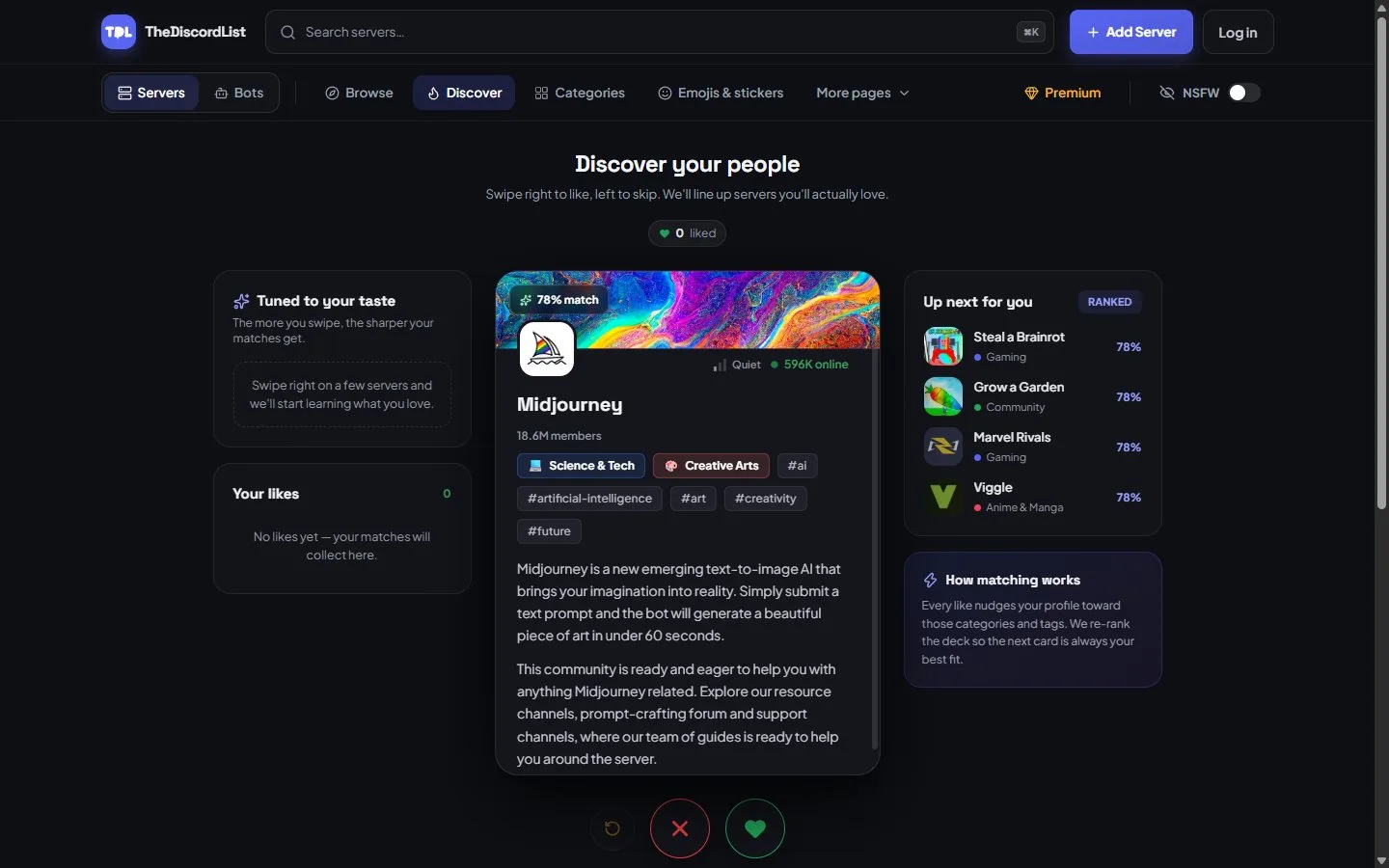
Discover: one server at a time, ranked against what you have liked so far.
5. Open the listing before you join
The full listing answers the questions that matter before you commit:
- The description: what people actually do there, and who it is for.
- Events and posts: a server that posts announcements and schedules events is being run by someone.
- FAQs and rules: a sign the owners have thought about what newcomers need.
- Similar servers: if this one is close but not quite, the next one often is.
6. Check the rankings, not just the size
The leaderboard ranks servers by bump points, upvotes, members and people online right now, for this week, this month, this year or all time. Weekly bump points show which teams are actively looking after their community, which tends to mean active moderators too.
Red flags
Skip, or leave quickly, if you see:
- A join process that asks you to log in somewhere outside Discord, scan a QR code, or "verify" by connecting another account.
- Free Nitro, crypto giveaways or "staff applications" in your DMs within minutes of joining.
- No rules channel, or rules that are only a list of punishments.
- A member count that is huge with almost nobody online.
If a listing breaks the rules, use Report on its page. You do not need an account, and moderators review reports, most within a day.
Safe by default
Age-restricted servers are hidden unless you turn on the NSFW switch in the header and confirm your age, so you will not stumble into them while browsing.
Prefer to just ask?
If you use Claude or ChatGPT, you can connect TheDiscordList to your assistant and describe what you want in a sentence. It searches the same listings and hands back links to join.
The five-minute version
- Decide the activity, size and language.
- Search the tag, then filter by language, size and activity.
- Compare online to members on each card.
- Open the listing and read the description, events and rules.
- Join two or three, say hello, and keep the one that answers.
Start browsing. Run a server yourself? List it for free so people looking this carefully can find it.