
Get a Discord message the moment your server is bumped
Webhooks now tell you when your listing is bumped, upvoted or joined — as a message in your own channel, or as JSON if you run a backend.

Every time someone bumps your server, upvotes it, or takes your invite, that moment is worth knowing about. Until now the only way to see it was to open your dashboard and look. Webhooks turn it around: we tell you, the second it happens.
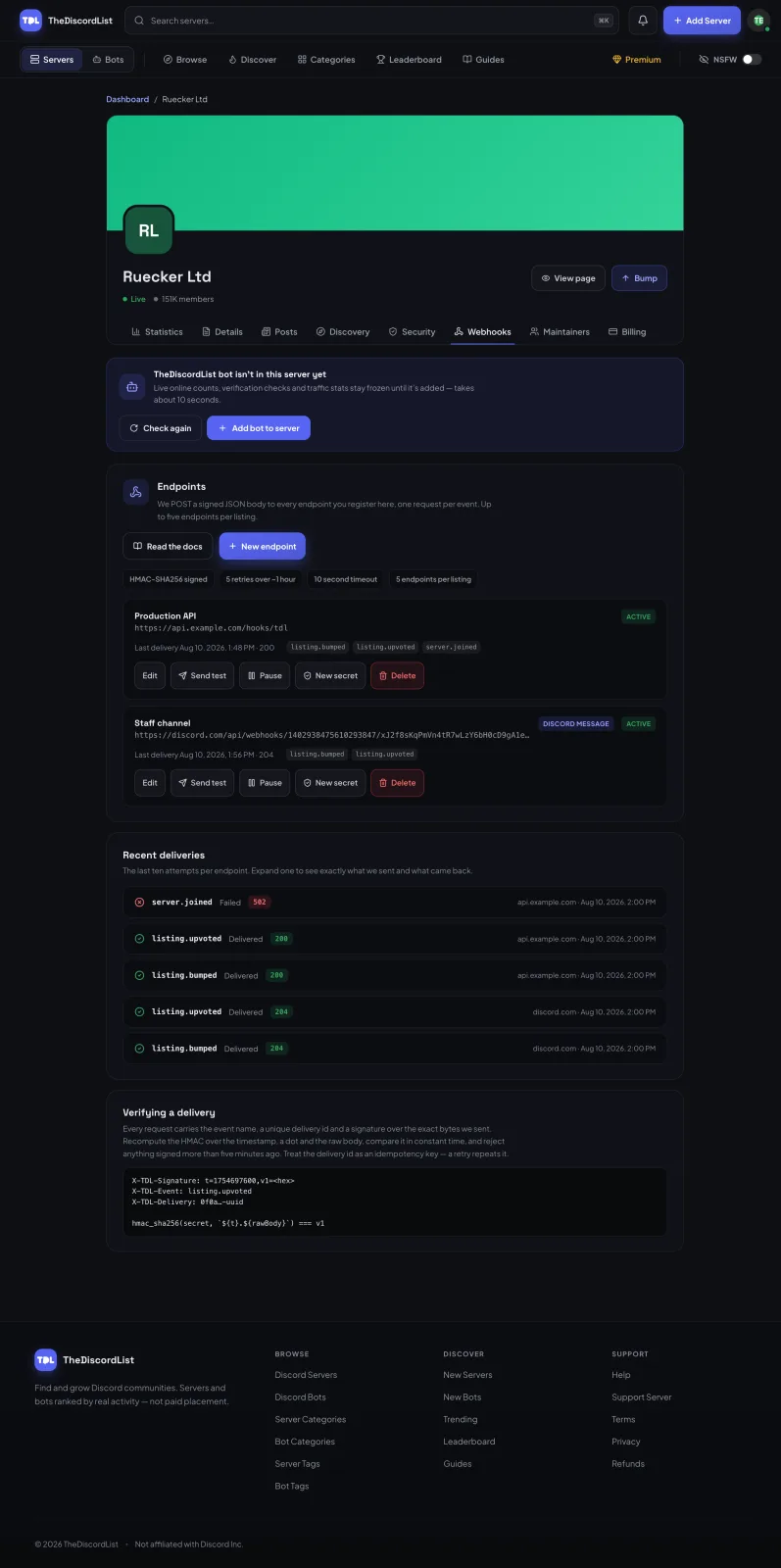
You'll find them under Manage → Webhooks, on servers and bots alike.
The two-minute version
If you just want a message in your staff channel when something happens, this is the whole setup:
- In Discord, open Server Settings → Integrations → Webhooks and create one pointed at the channel you want.
- Copy the URL it gives you.
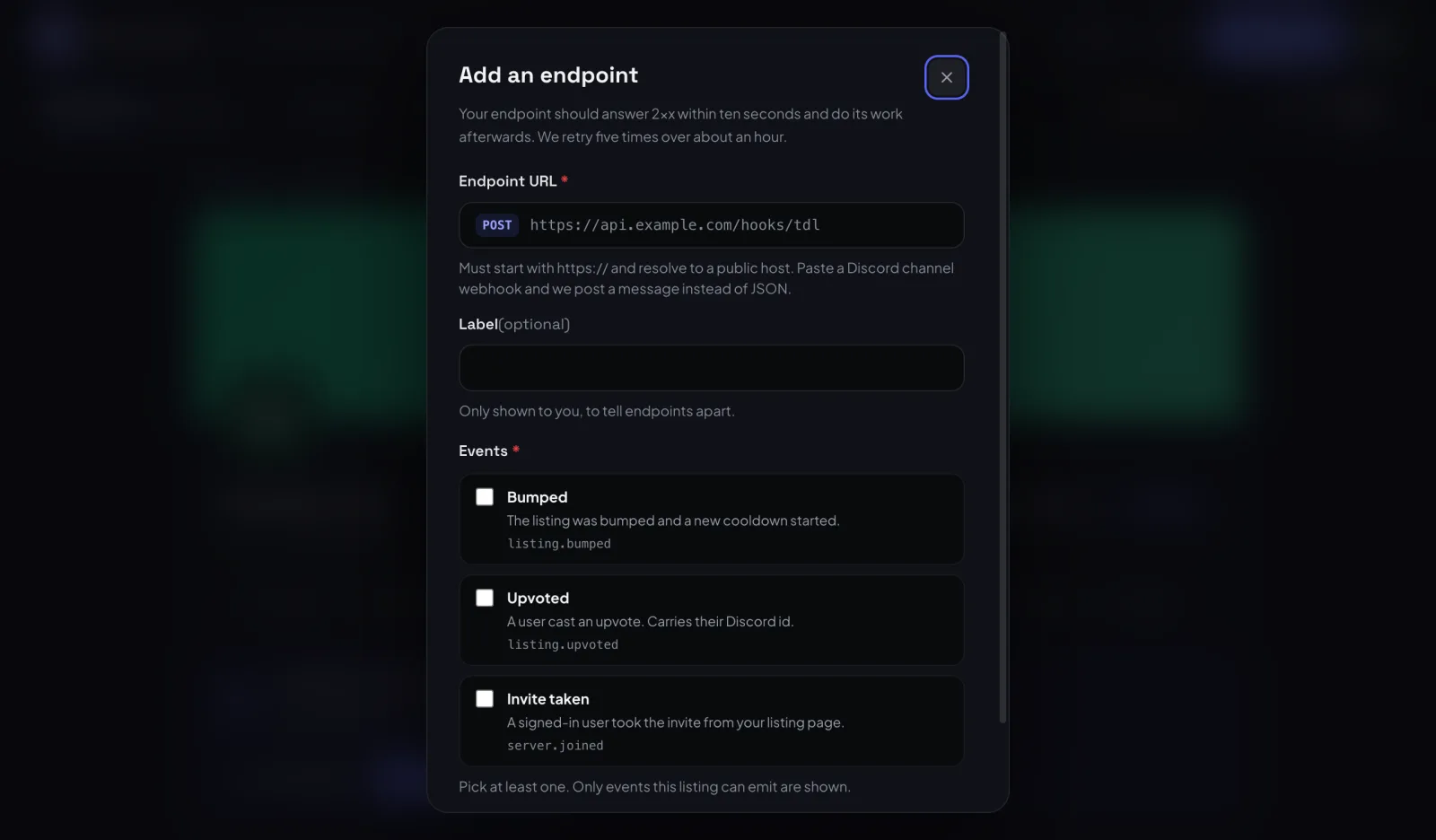
- On TheDiscordList, open your listing's Manage → Webhooks tab, hit New endpoint, paste the URL, tick the events you care about, and save.
That's it. No server, no code, no hosting. We detect that the URL belongs to Discord and post a formatted message instead of raw data — a bump shows who bumped you, the points it earned, and a live countdown to when you can bump again.
What you can listen for
Only the events your listing can actually emit are offered, so a server never sees bot events and vice versa.
| Event | Fires when |
|---|---|
listing.bumped |
Your listing was bumped and a new cooldown started |
listing.bump_ready |
Your bump cooldown ended, so you can bump again (sent once per cooldown) |
listing.upvoted |
Someone upvoted you — includes their Discord id |
server.joined |
A visitor took your invite; user is null if they were not signed in (servers) |
bot.added |
Someone opened Discord's install screen for your bot (bots) |
bot.stats_reported |
Your bot posted new server and shard counts (bots) |
Two of those deserve a caveat, and we'd rather say it than let you discover it: server.joined and bot.added fire when a visitor is handed off to Discord, not when they finish. Discord doesn't tell anyone whether the join or the install completed, so treat both as strong intent rather than a confirmed member.
If you do run a backend
Point the endpoint at your own URL and you'll get JSON instead. Every delivery has the same envelope, so you can route on event before you know the shape of data:
{
  "id": "0f7d6ddd-4998-4620-9a30-ee81272ead82",
  "event": "listing.bumped",
  "created_at": "2026-08-10T12:00:09+00:00",
  "listing": {
    "id": "605777334512012690",
    "type": "server",
    "name": "Ruecker Ltd",
    "url": "https://thediscordlist.com/servers/605777334512012690"
  },
  "data": {
    "points": 10,
    "bumped_at": "2026-08-10T12:00:09+00:00",
    "next_bump_at": "2026-08-10T20:00:09+00:00",
    "user": { "id": "421008719934357504", "username": "volt", "avatar": null }
  }
}
Verify the signature before you trust it. Every request carries X-TDL-Signature in the form t={unix},v1={hex}, where the hex is an HMAC-SHA256 of {timestamp}.{raw body} keyed with your endpoint's signing secret. Recompute it over the raw body — not a re-encoded version of the parsed JSON — compare in constant time, and reject anything signed more than five minutes ago. The timestamp is inside the signed string precisely so a captured request can't be replayed at you later.
X-TDL-Delivery carries a UUID that stays the same across retries of the same event. Use it as an idempotency key and you can't double-count a bump because your server was slow to answer once.
Answer with any 2xx within ten seconds and do the real work afterwards. Anything else and we retry four more times, after 30 seconds, 2, 10 and 60 minutes. A 429 is retried after the Retry-After you send.
When something breaks
Every attempt is kept for 30 days, and the tab shows each endpoint's last 10. Expand any of them to see exactly what we sent and exactly what came back — status, duration, error, and the full payload.
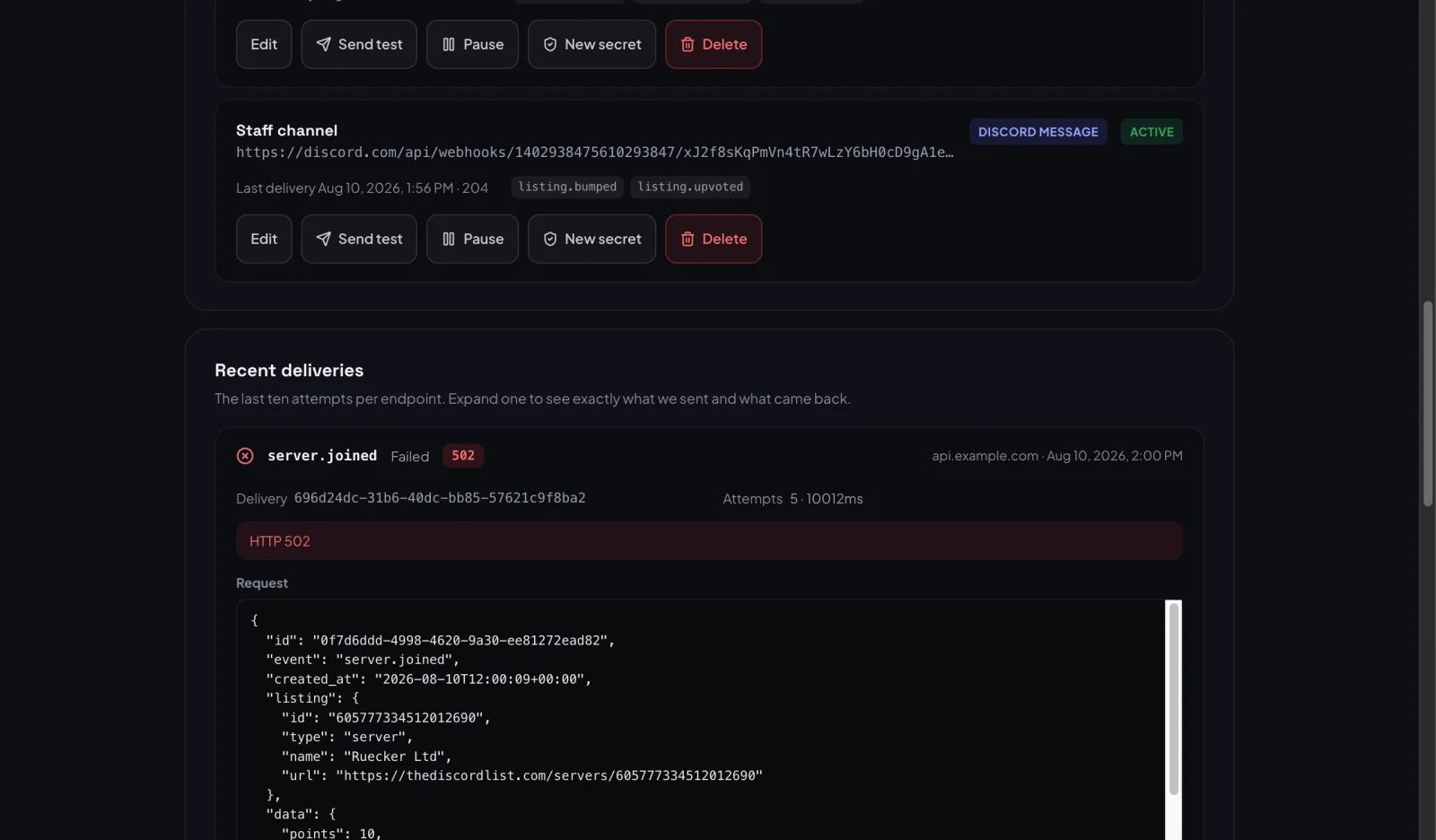
That's usually enough to spot the problem without adding logging on your side. If an endpoint fails ten deliveries in a row we switch it off, because at that point it's gone rather than flaky — but we keep probing it every few hours for a week, and it turns itself back on the moment one delivery lands. You don't have to notice an outage to recover from it.
There's also a Send test button on every endpoint, which fires a webhook.ping you can use to prove the plumbing works before you rely on it. Pause stops deliveries to an endpoint without deleting it, Send again redelivers a past event under a new delivery id, and a Discord webhook that answers 401, 403 or 404 is switched off straight away, because Discord only says that once the webhook has been deleted.
A few limits worth knowing
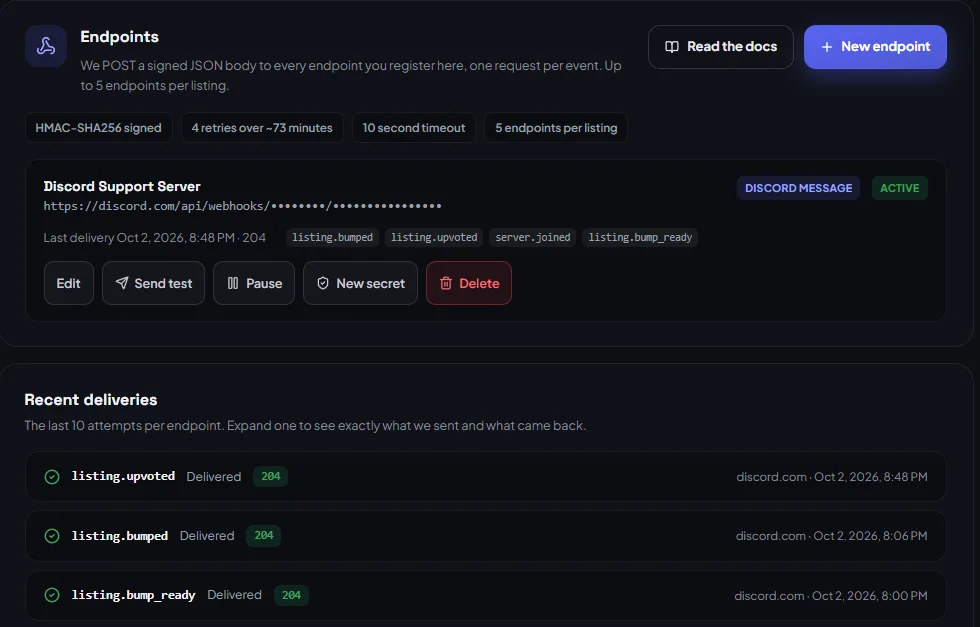
- Five endpoints per listing.
- Endpoints must be
httpsand resolve to a public host — we re-check this immediately before every send, so a domain that later points somewhere private stops receiving. - Your signing secret is shown once, when it's created. If you lose it, generate a new one; the old one stops working immediately.
Full payload schemas for every event live in the API reference, under Webhooks.