
Bot packs: set up a server's bots from one page
Bot packs are hand-picked sets of Discord bots for one kind of server, in order, with a note on why each is there. Add a whole pack without hunting for invites, or build your own.
Setting up a new Discord server usually means a dozen open tabs: a ticket bot, a moderation bot, something for leveling, something for everything else, each with its own invite link to dig up. Bot packs put that whole list on one page.
A bot pack is a hand-picked set of Discord bots for one kind of server, in the order you should add them, with a note on why each one is there. Anyone can use one, and anyone with an account can make one.
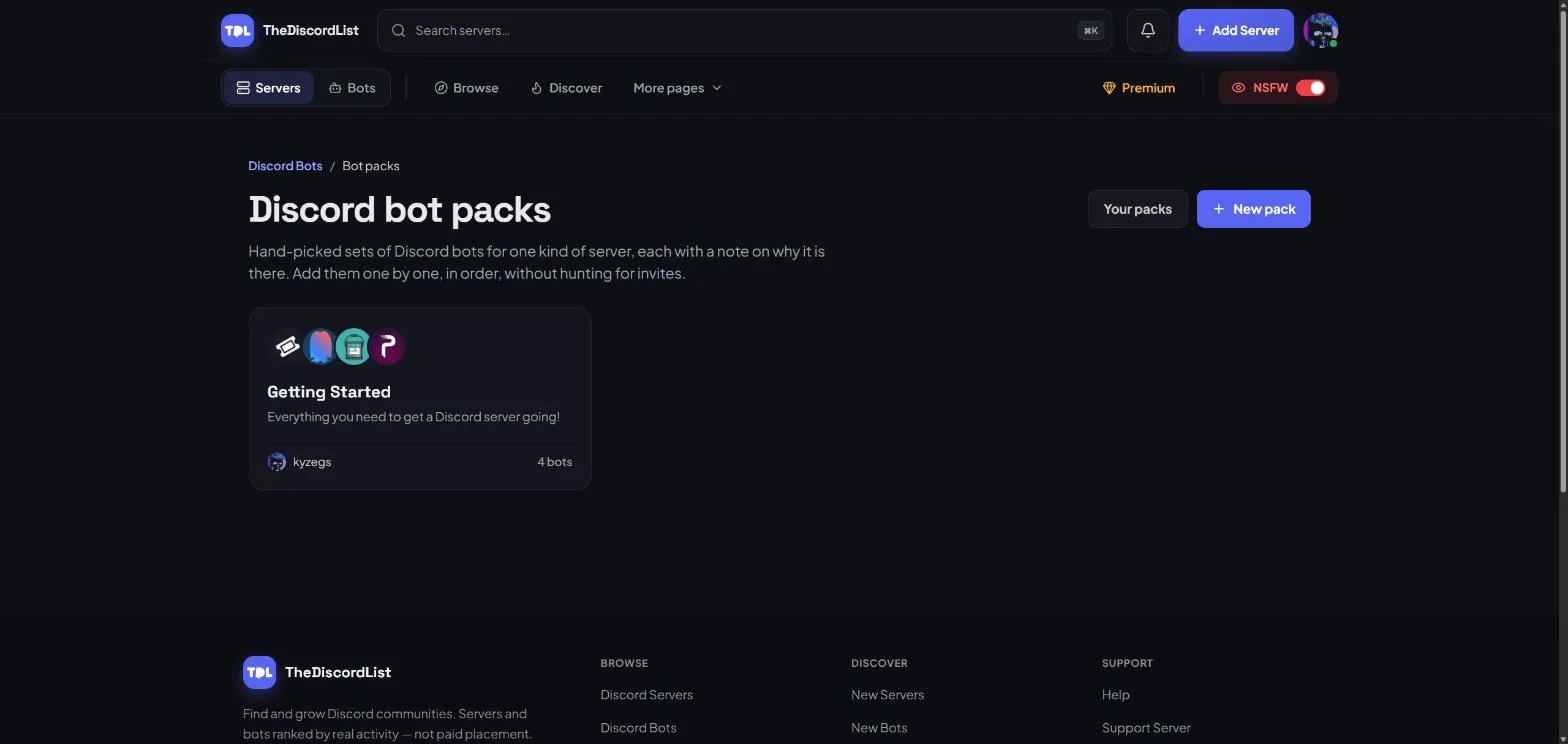
Add a whole pack to your server
Open a pack and work down the list. Discord only installs one bot per authorisation, so each Add to Server button opens Discord's own install screen in a new tab. Add the bot, come back, and move on to the next.
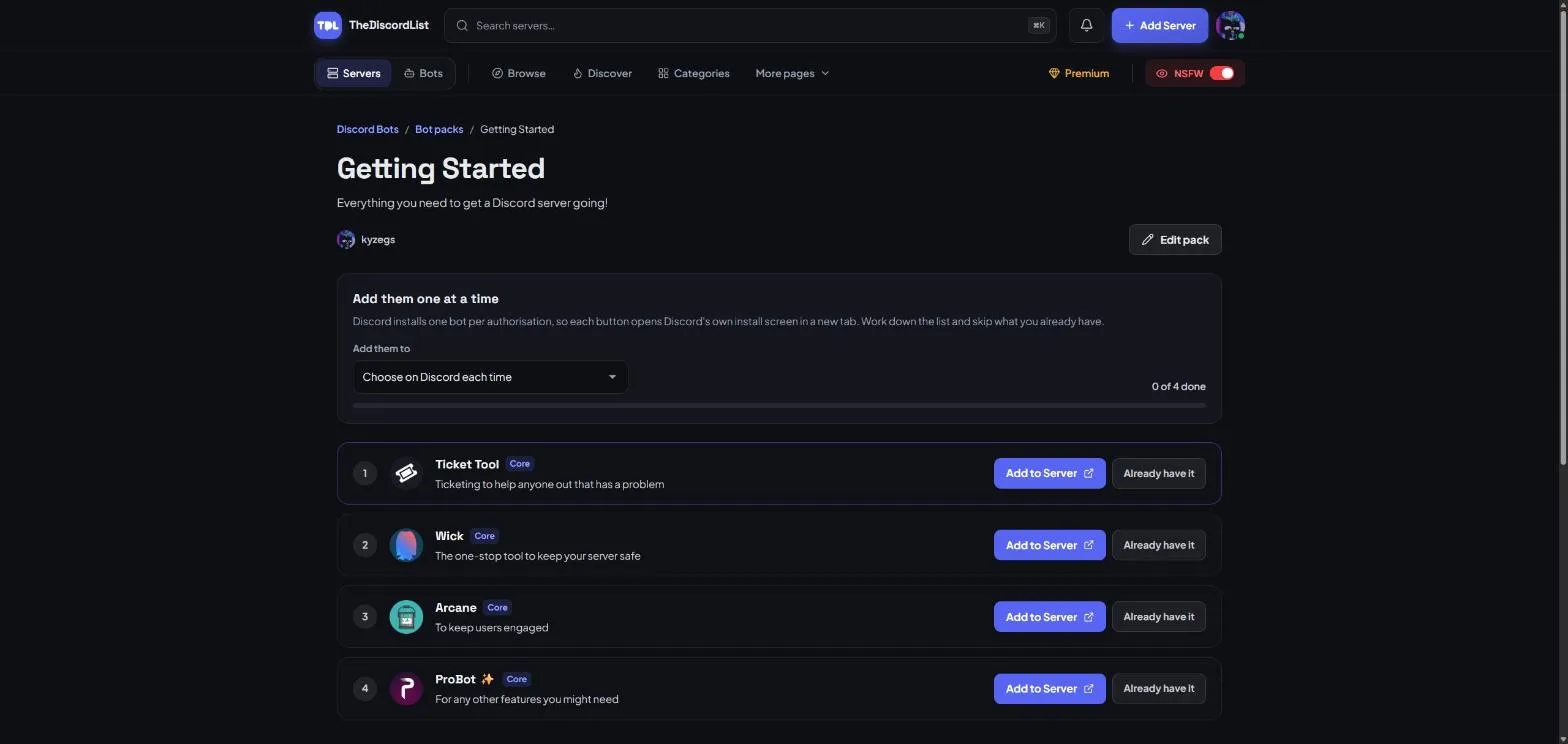
A few things make that quicker:
- Pick your server once. Signed in, choose the server under Add them to and every install screen opens with it already selected. Leave it on Choose on Discord each time if you are setting up more than one.
- Skip what you already have. Already have it ticks a bot off without opening Discord.
- Track your progress. The counter shows how far through the pack you are, and the next bot to add is highlighted. Your progress is saved in your browser, so you can close the tab and pick up where you left off.
- Core or optional. Each bot is marked Core if the pack needs it, or Optional if it is a nice extra you can leave out.
Every bot in a pack is a real listing on TheDiscordList, so you can open any of them first to see what it does before adding it.
Make your own pack
Know exactly which bots a gaming, study or support server needs? Turn it into a pack. Press New pack on the bot packs page and fill in:
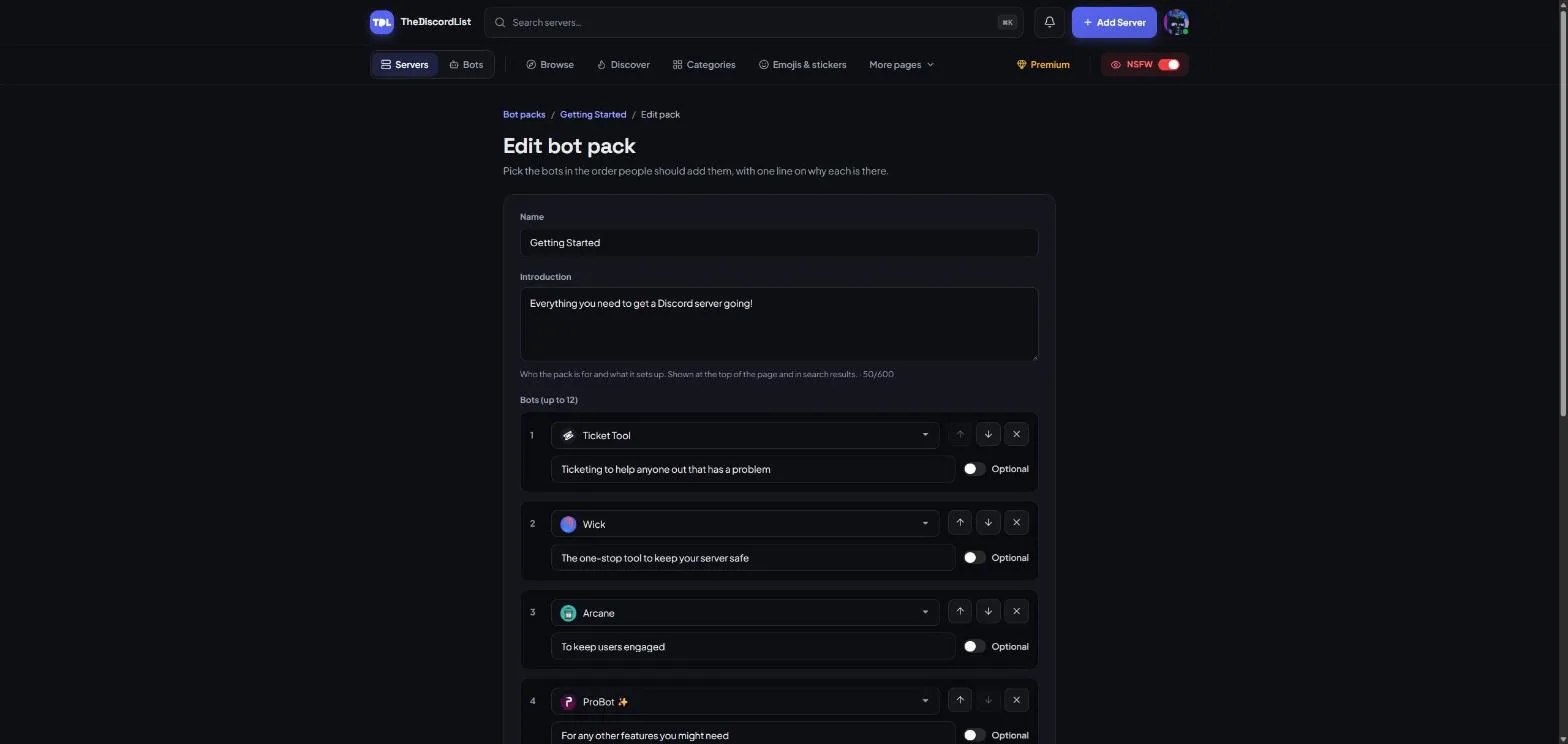
- Name. What the pack is for, like "Starter moderation" or "Study server essentials".
- Introduction. Who the pack is for and what it sets up. It sits at the top of the page and shows in search results, so make it count (40 to 600 characters).
- Bots, up to 12. Search for each bot by name, then write one line on why it is in the pack. Use the arrows to put them in the order people should add them, and switch on Optional for the ones that are not essential.
- Published. Leave it off to keep the pack as a draft that only you can see. Switch it on when it is ready.
Find and edit everything you have made under Your packs.
A good pack is short and opinionated. Pick one bot per job, explain why in plain words, and put the bots a server cannot run without at the top.
Where packs show up
Published packs appear in three places:
- On the bot packs page.
- In a row above the bot list on Discord Bots.
- On the page of every bot they include, under In bot packs. If your bot is in a pack, people browsing your listing can find the rest of the set from there.
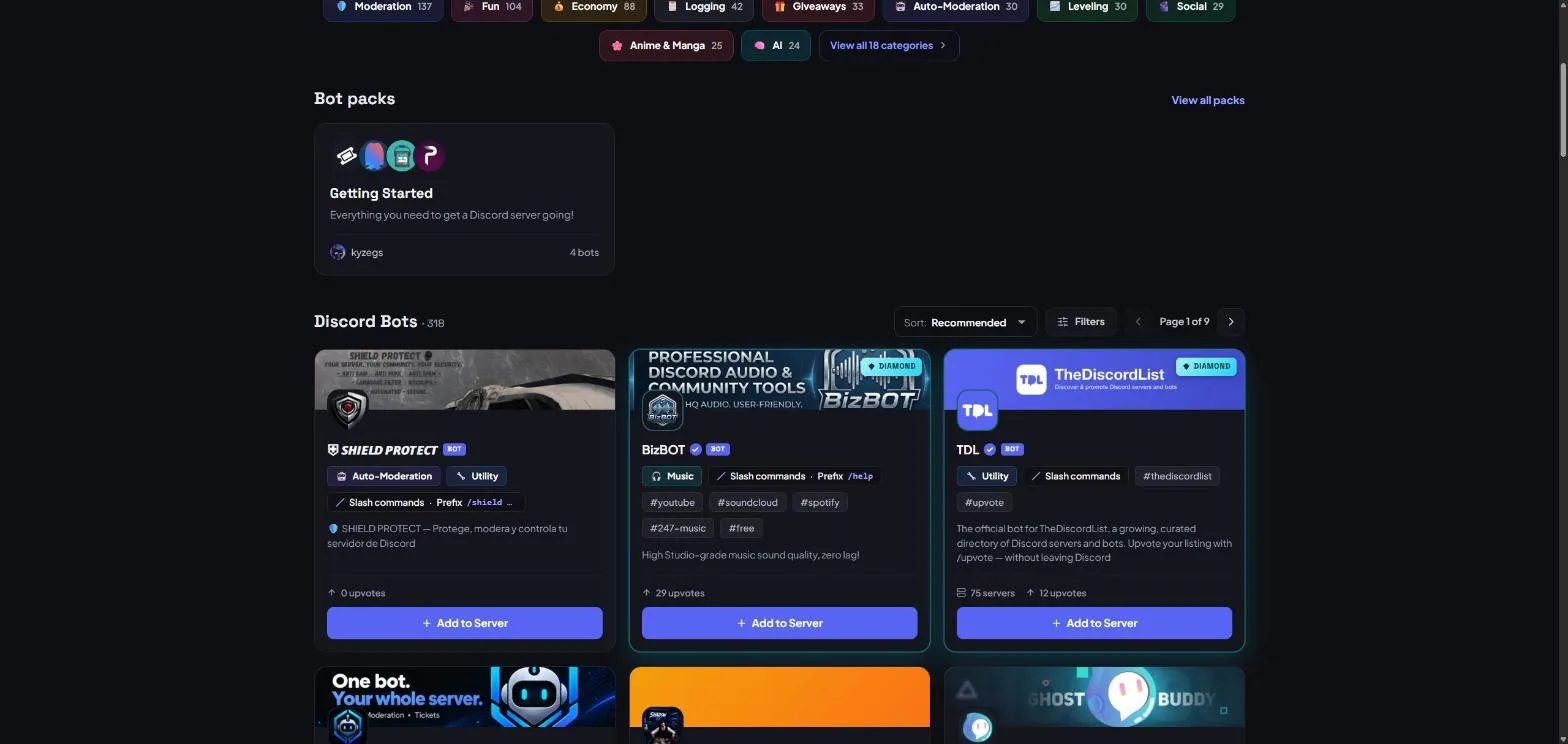
Pack names, introductions and notes are public, so they are checked against our content rules when you save.
Have a set of bots you swear by? Make a pack and save the next server owner an afternoon.