
One leaderboard for everything on TheDiscordList
Servers, bots, the people behind them, and every emoji, sticker, PFP and banner now rank on one leaderboard. Here is what each board measures, how the periods work, and how to read your own standing.
The old leaderboard ranked servers and nothing else. The new one at thediscordlist.com/leaderboard ranks everything the site counts: servers, bots, the people who bump and upvote them, the emojis and stickers servers use, the PFPs and banners people grab, emoji packs and posts. 28 rankings across nine categories, refreshed every few minutes.
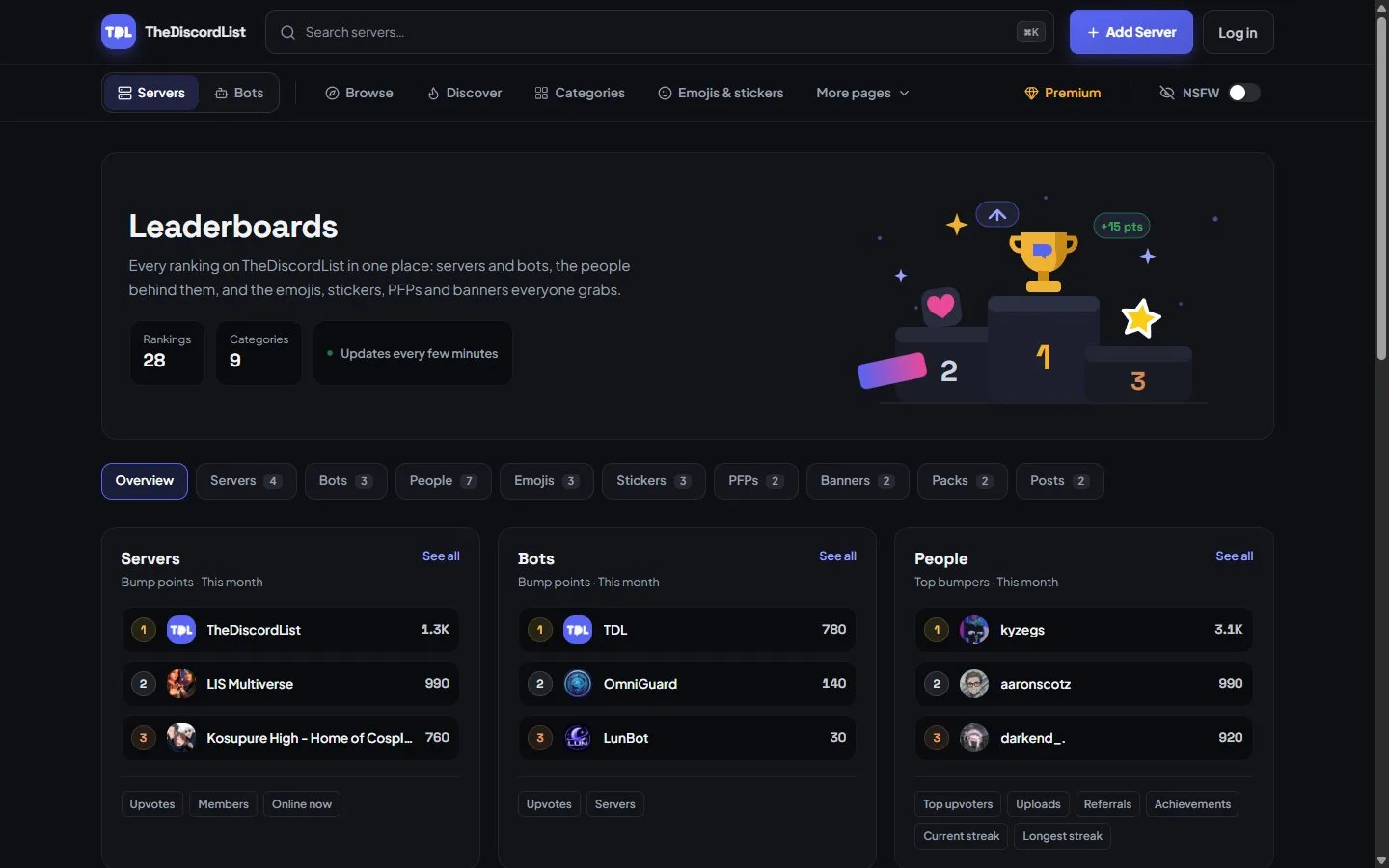
The overview shows the leader of every category on one page. Pick a tab to see the full board.
What each board ranks
| Category | Rankings |
|---|---|
| Servers | Bump points, upvotes, members, online now |
| Bots | Bump points, upvotes, servers |
| People | Top bumpers, top upvoters, uploads, referrals, achievements, current streak, longest streak |
| Emojis and Stickers | Downloads, servers using them, uploads |
| PFPs and Banners | Downloads, uploads |
| Packs | Likes, downloads |
| Posts | Reactions, views |
Members, online now and bot server counts are live: they show the number as it is right now. Achievements and the longest streak are lifetime records. Everything else is counted over a period you choose.
Pick the period
Most boards have four periods: all time, this year, this month and this week. All time rewards the servers and people who have been at it longest. This week is where a new server can actually win, because everyone starts the week at zero.
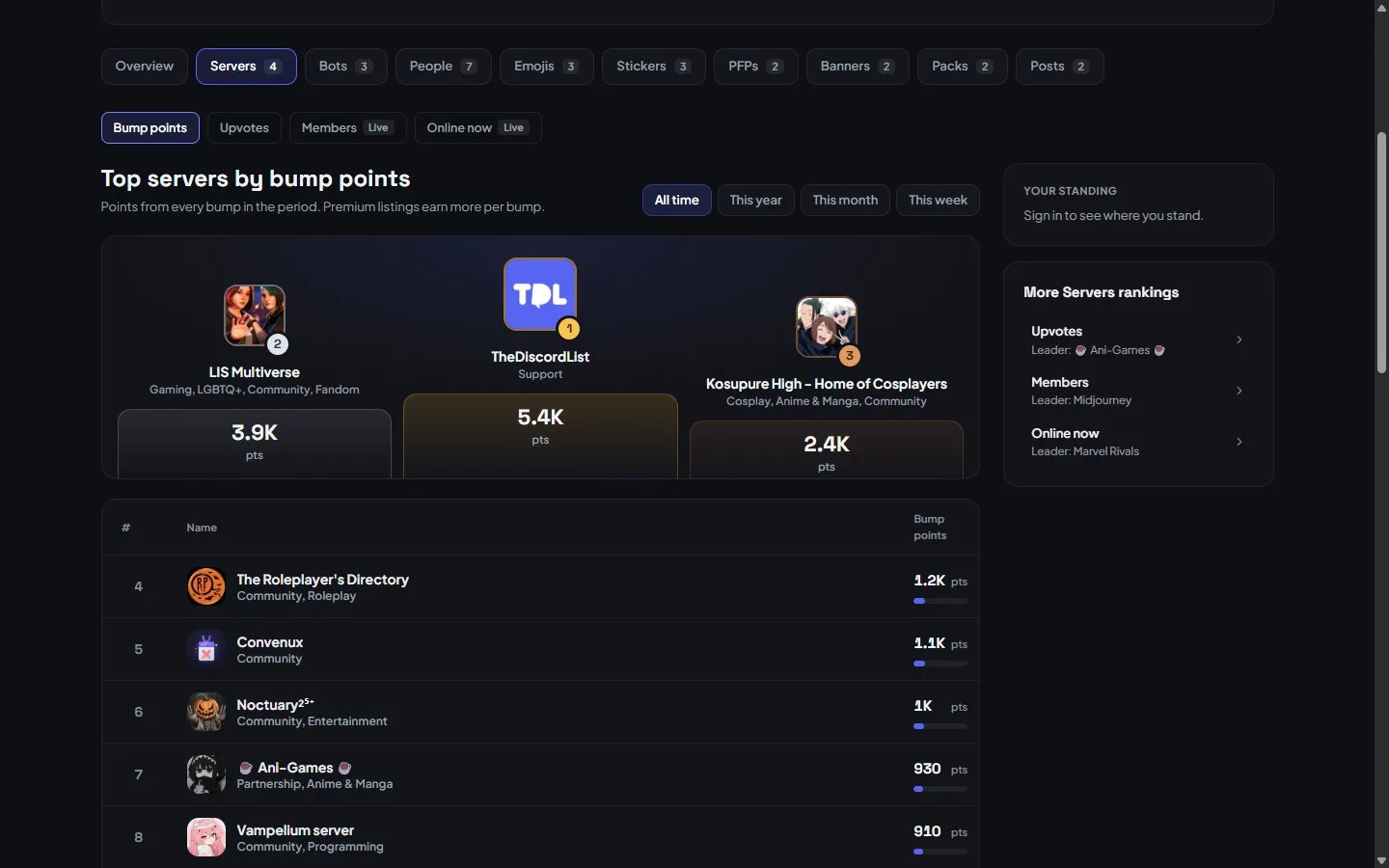
The servers board by bump points. The top three get the podium, everyone else the table, and the side panel links to the other server rankings.
Rows show how far a listing or person moved since the previous period, so a climb is visible even when you are not first. Anyone who was not ranked last time shows as new.
Your standing
Sign in and the Your standing panel shows your best entry on the board you are looking at: yourself on the People boards, a listing you manage on Servers and Bots, or one of your packs, posts or uploads elsewhere. It gives your rank, even far below the top 25, and how many points you need to pass whoever is directly ahead. It is the quickest answer to "is our bumping actually working?"
Owners get a second view on their own listing. The Statistics tab in the manage area has a Top bumpers card that ranks the team members who bump that listing, with the same four periods.
How bump points get you onto the board
The servers and bots boards rank by bump points by default. A bump is worth 10 points on the free plan, and every listing can bump once every eight hours. Premium multiplies the points per bump (15 on Gold, 20 on Platinum, 30 on Diamond) but never shortens the cooldown, so steady bumping is still what moves you. What Is Discord Server Bumping? covers the details.
Upvotes have their own board. Members can upvote once every 12 hours, on the site or with /upvote in Discord through the TheDiscordList bot.
Leaderboards inside Discord
The same bot posts a leaderboard card in your server with /leaderboard. It defaults to your own server's members, ranked by bump points, and can switch to members site-wide or to servers, for all time, this year, this month or this week. Posting it once a week does more for bumping and voting than any reminder.
Is the leaderboard the same as the front page?
No. The default Recommended order on browse pages is a weighted draw that mixes freshness, bumps, joins, upvotes and views, so new servers get seen. The leaderboard is a straight ranking. How TheDiscordList ranks servers explains the difference with the real weights.
Old links still work
The old /servers/leaderboard and /bots/leaderboard addresses redirect to the matching board, so links you have shared before keep working.
Open the leaderboard. Not listed yet? Add your server and start this week at zero, like everyone else.