
Hosted Status Pages for Discord Bots
Your users ask "is the bot down?" in your support server every time a shard hiccups. A status page answers that for them — and now your listing hosts one, fed by a single HTTP call every 30 seconds.

Every bot developer knows the message: "is the bot broken?" — posted in your support server, usually by six people, usually while you are already fixing it. The honest answer lives in your own logs, which nobody else can see.
Status pages solve that, which is why bot developers pay statuspage.io or BetterStack for one. We already authenticate your bot and host your listing, so we host the status page too. Gold, Platinum and Diamond listings get one free.
What your users see
A status page lives at thediscordlist.com/{your-vanity}/status (or /bots/{application-id}/status if you have not set a vanity URL) and is public — no account, no login. It opens with the one thing anyone came for: whether the bot is up.
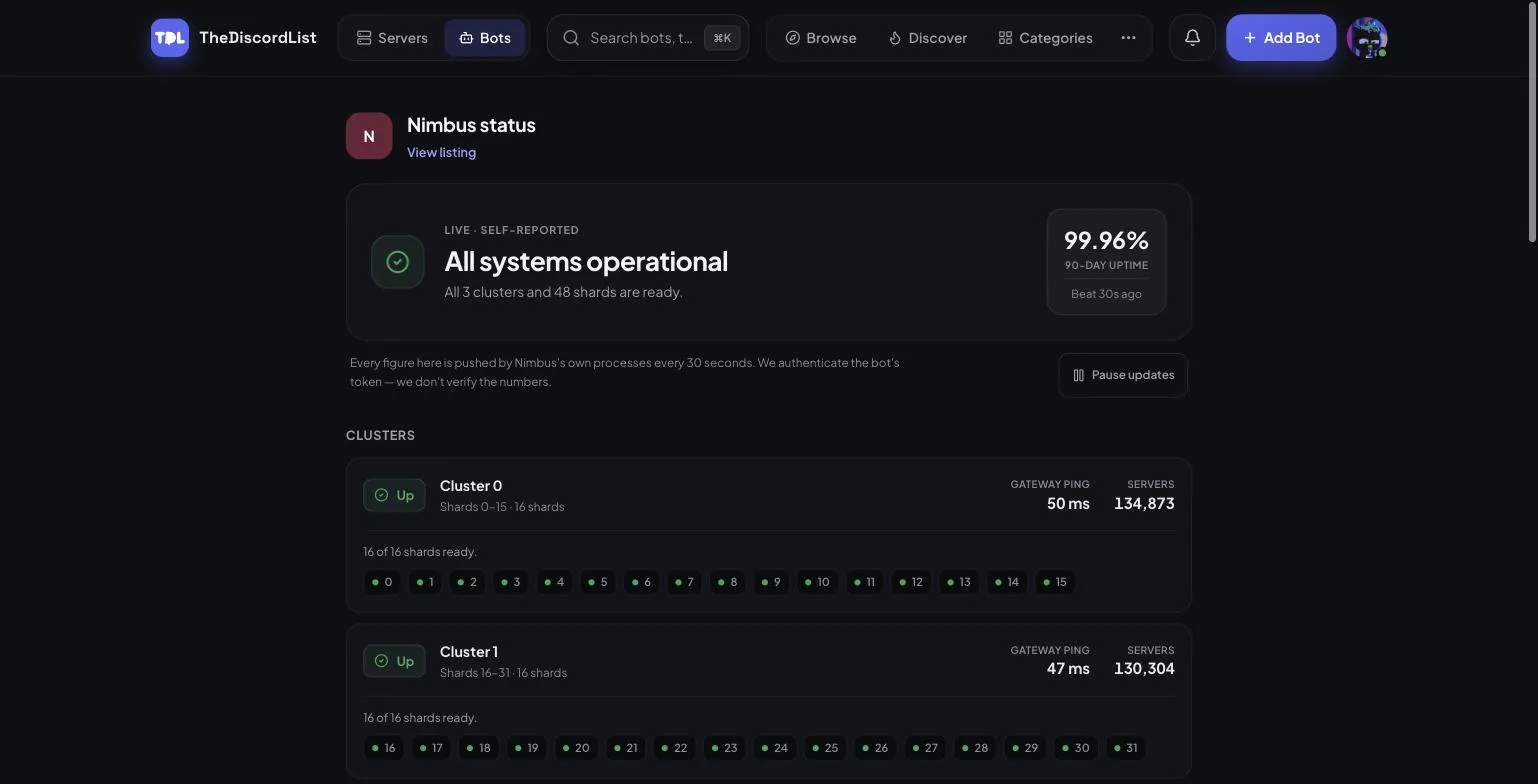
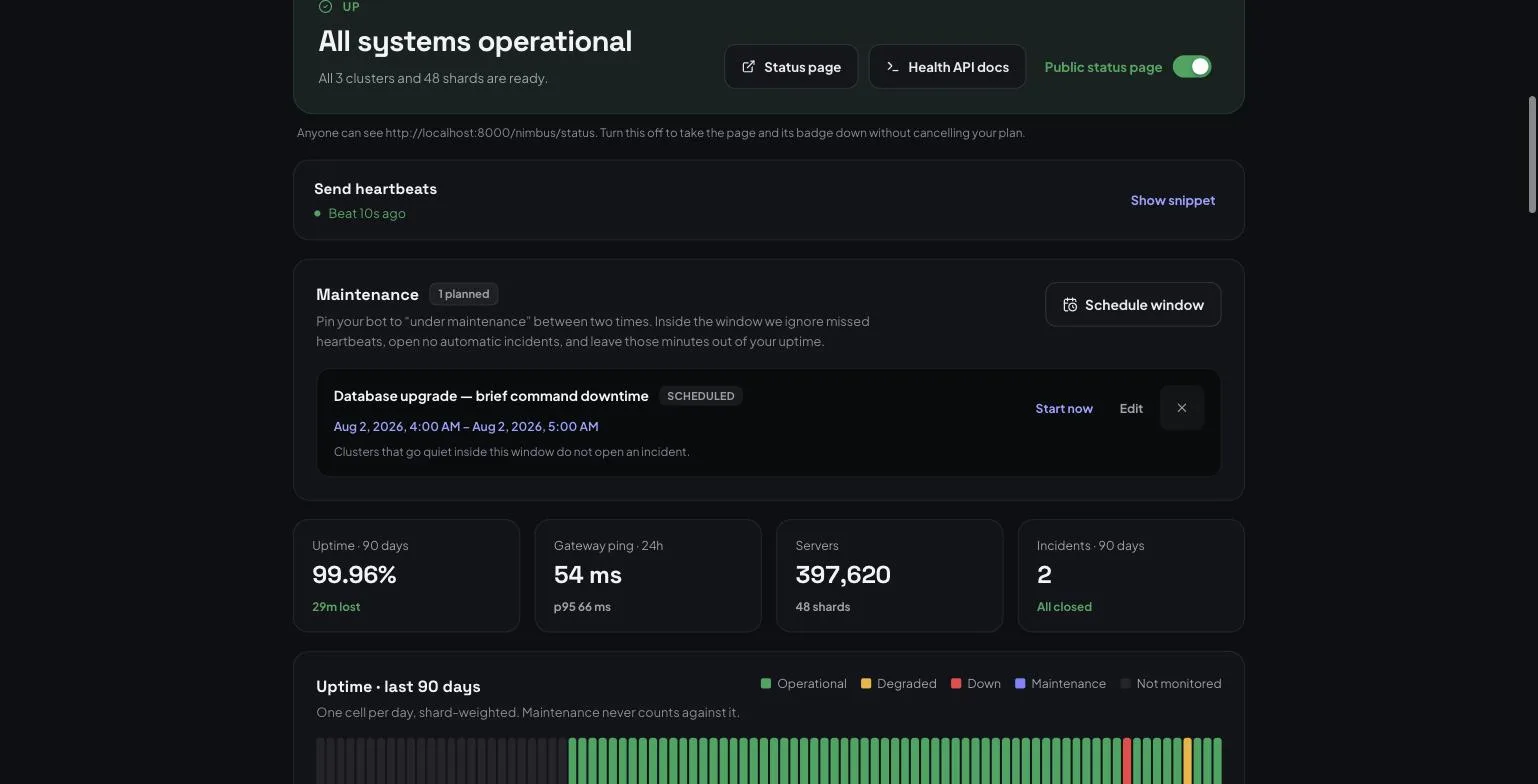
Below the banner, every cluster your bot runs gets a card: its shard range, gateway ping, server count and per-shard state. Then a 90-day uptime bar, weighted by shards — a cluster holding a third of your shards going down for an hour counts as a third of an hour lost, not a whole one.
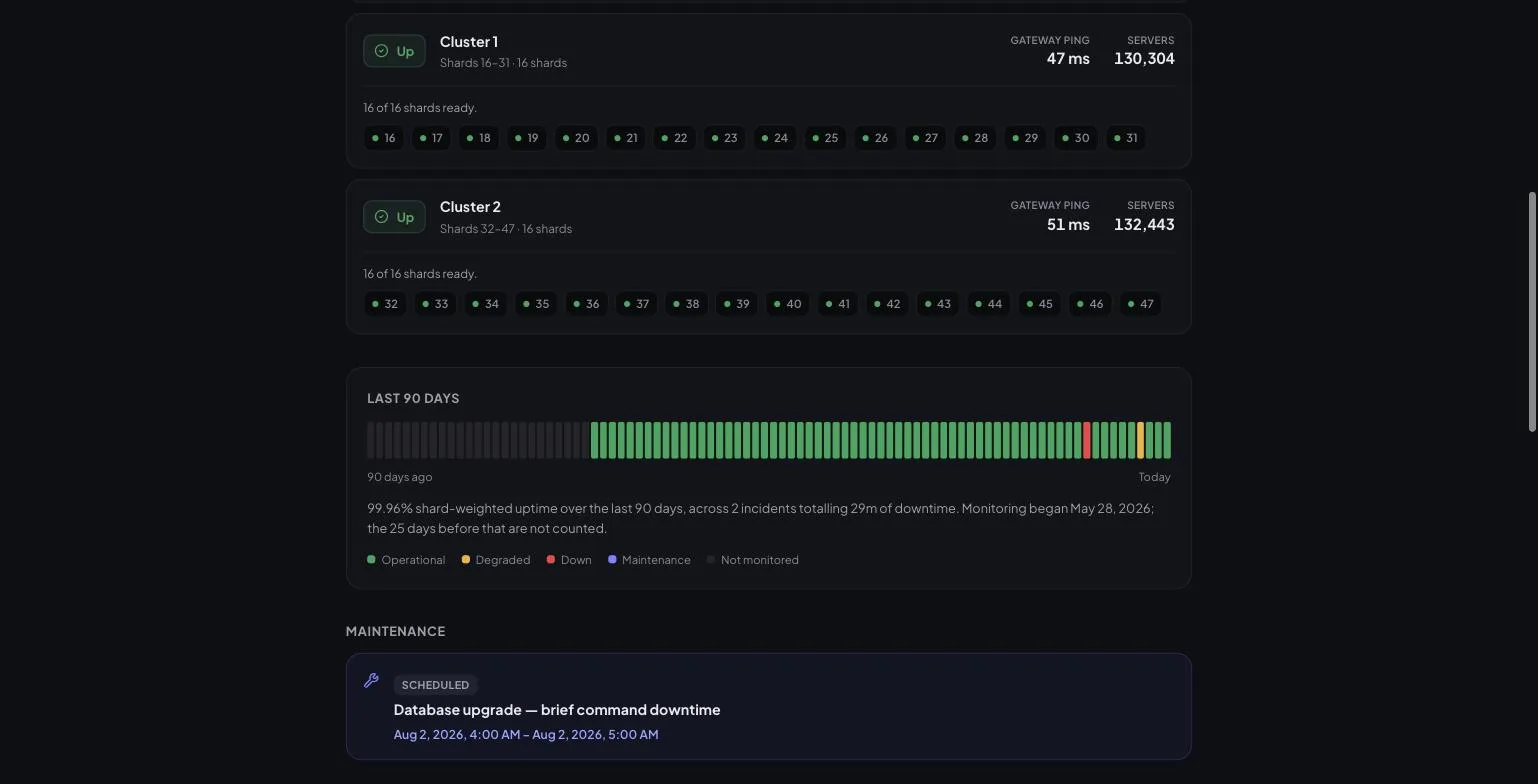
Nothing on the page is colour-only: every status dot carries an icon and a text label, and the 90-day bar ships a written summary ("99.96% shard-weighted uptime over the last 90 days, across 2 incidents totalling 29m of downtime"). Screen reader users get the same information, and a status change is announced rather than silently repainted.
The page collapses what it does not need to say
Most bots are one process with one shard, and nobody should have to read Cluster 0 · shards 0–0. So the page names a level only when there is more than one of it:
- 1 cluster, 1 shard → just "Operational · 47 ms"
- 1 cluster, N shards → "Operational · 4 shards", with per-shard dots
- N clusters → full cluster cards, as above
Same data, same endpoint. It just stops naming things you only have one of.
Incidents, in your words
When a cluster stops beating, we open an incident automatically. You then narrate it from your manage tab: post an update, move it through investigating → identified → monitoring, and it resolves itself the moment the cluster starts beating again — no "forgot to close the incident" ghost.
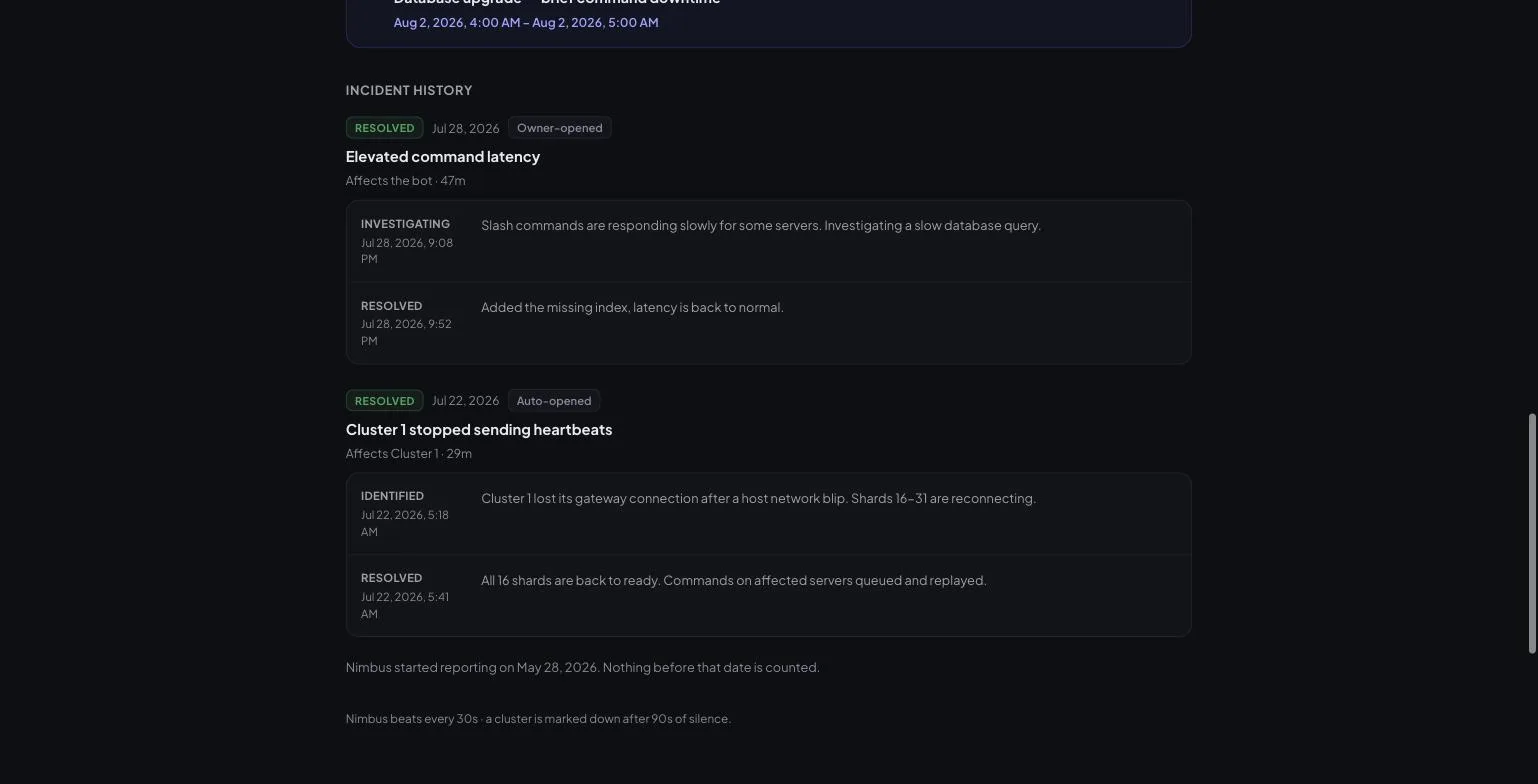
Incident history is kept for 90 days — the same window the uptime bar covers.
Setting it up
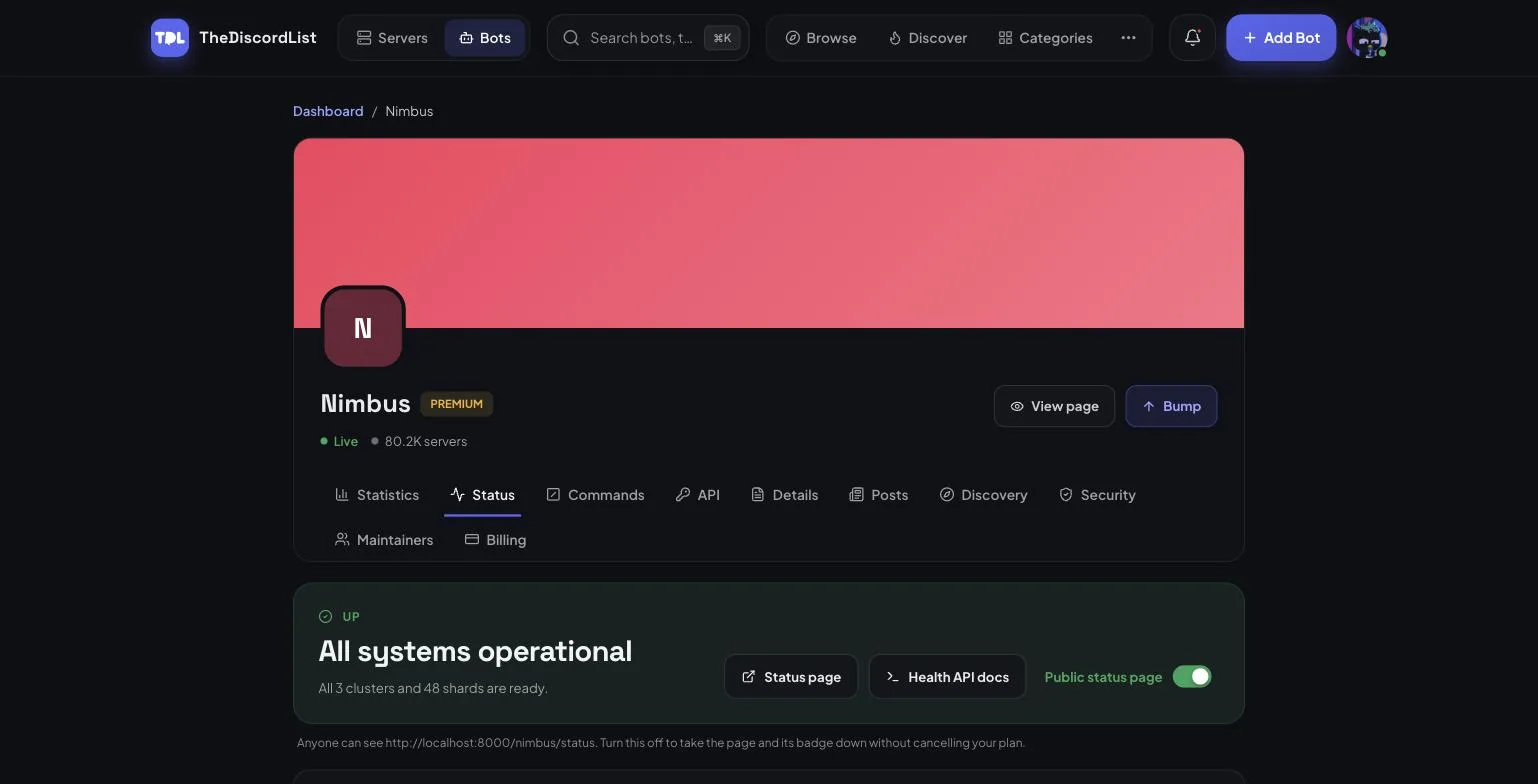
Open your bot's Manage → Status tab. The toggle publishes the page; turning it off takes the page and its badge down without cancelling your plan or losing history.
Then send heartbeats. That is the entire integration:
setInterval(() => fetch(`https://thediscordlist.com/api/bots/${id}/heartbeat`, {
  method: 'POST',
  headers: { Authorization: `Bearer ${process.env.TDL_TOKEN}` },
}), 30_000)
Sending the beat is the claim that you are up. The manage tab has copy-paste snippets for discord.js sharding, discord.py and plain HTTP.
Every field is optional
The smallest valid heartbeat is an empty body — that means cluster 0 of 1, shard 0, ready. An unsharded bot is shard 0, so it needs no special case:
{}
A sharded, clustered bot sends the real shape:
{
  "cluster": 2,
  "cluster_count": 3,
  "shards": [
    { "id": 32, "status": "ready",    "latency_ms": 41, "guilds": 8120 },
    { "id": 33, "status": "resuming", "latency_ms": null, "guilds": 7904 }
  ]
}
| Field | Default | Notes |
|---|---|---|
cluster |
0 |
Must be lower than cluster_count |
cluster_count |
1 |
Declares your current topology |
shards |
one ready shard 0 | ready, connecting, resuming or disconnected |
latency_ms |
null |
Gateway ping |
guilds |
null |
Per-shard server count |
Three rules worth knowing:
- Beat every 30 seconds; a cluster is marked down after 90 seconds of silence. Fixed and documented, so there is nothing to negotiate or misconfigure.
- Each cluster process beats for itself. Never beat through a manager process — a manager happily reports "all fine" about the box it died with.
cluster_countmakes scaling down safe. Drop from five clusters to three and sendcluster_count: 3; clusters 3 and 4 are removed instead of being alarmed about forever.
If you send guilds, we forward the summed server count to your listing's stats at most once every 15 minutes — so heartbeats can replace your /stats call entirely.
Maintenance windows
Planned work should not dent your uptime. Schedule a window and the page shows it publicly; inside it we ignore missed heartbeats, open no automatic incidents, and leave those minutes out of the uptime figure.
Latency, hour by hour
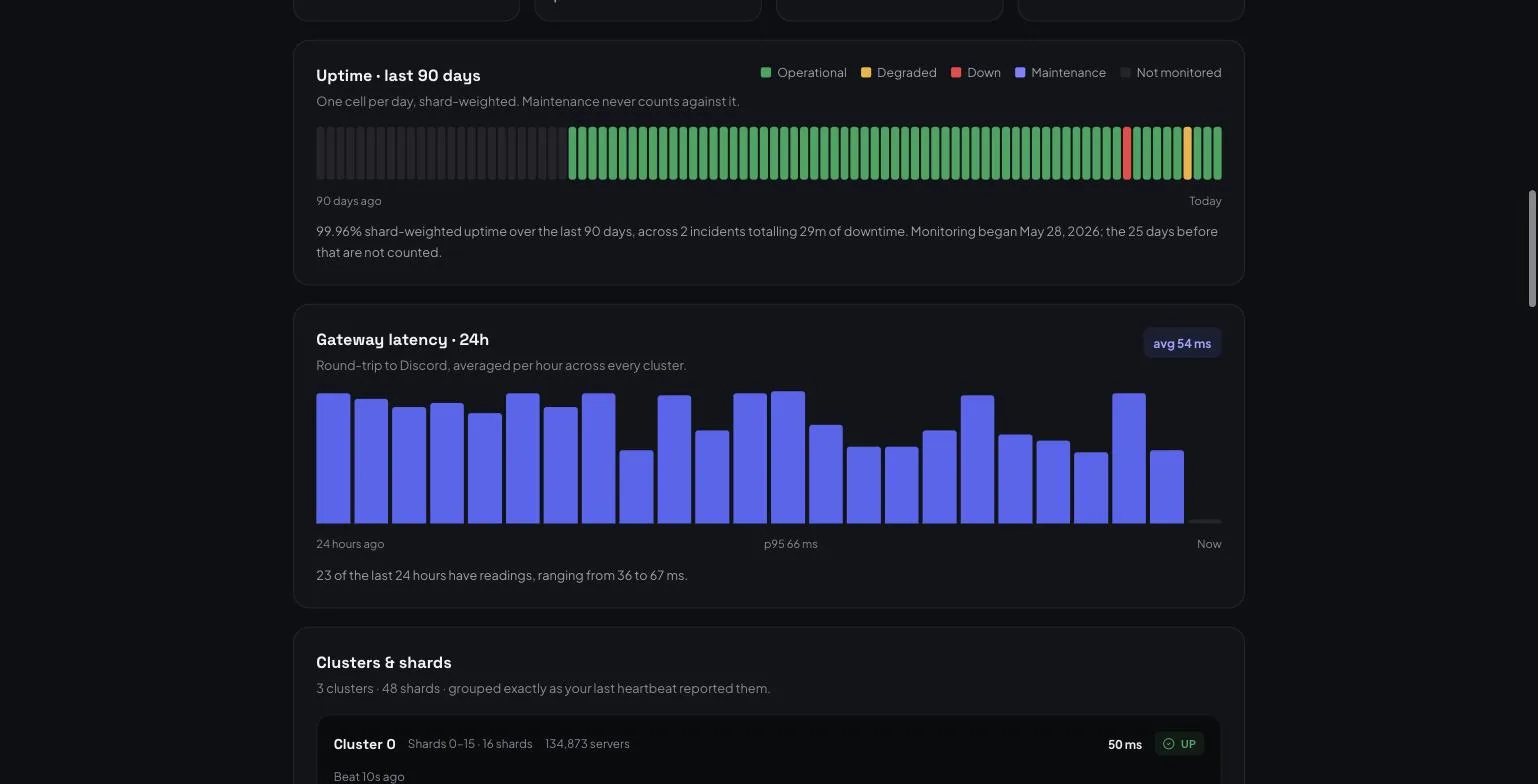
If your heartbeats carry latency_ms, you get a 24-hour gateway-latency chart with an average and a p95, aggregated hourly across every cluster.
A badge for your README
Every status page ships an SVG badge at /{your-vanity}/status/badge.svg (or /bots/{application-id}/status/badge.svg):
[](https://thediscordlist.com/your-bot/status)
What we do and do not verify
Every figure on the page is pushed by your own processes. We authenticate the token that sends it; we do not verify the numbers, and the page says so plainly. It is your bot's report about your bot — which is the only report that can exist, since Discord bots have no inbound HTTP for anyone to health-check.
The short version
- Gold and above, on any bot listing.
- One HTTP call every 30 seconds; empty body is valid.
- Public page, live shard status, 90-day uptime, incidents, maintenance windows, latency chart, badge.
- Turn the page off any time without losing your history.
Not on a paid tier yet? See the plans. Not listed yet? Add your bot — that part is free.