
Top.gg Alternatives: Where Else to List Your Discord Bot
Top.gg is the biggest bot list, which is exactly why a new bot disappears on it. Here is what to look for in a second listing, and what TheDiscordList gives bot developers for free.
Every bot developer lists on Top.gg first. It has the audience, the vote API everyone integrates, and years of history. It also has an enormous catalogue, and a ranking that rewards the ones already winning. If your bot is new, or does one thing well rather than everything, a second listing is where your first real installs often come from.
What makes a bot list worth your time
Skip any list that cannot answer yes to most of these:
- Does it verify ownership? Without it, anyone can list your bot, and copycats can list a clone under your name.
- Does the bot keep the listing current? Server counts and commands should come from your bot through an API, not from a form you forget to update.
- Can a new bot get seen? A pure vote ranking means a new bot starts behind thousands of others and never catches up.
- Do you get events back? Votes and installs should reach your bot or your staff channel as webhooks.
- Is the page useful to server owners? Commands, permissions, support server and status answer the questions owners have before they press Add to Server.
Top.gg, briefly
The largest list, with servers as well as bots. Members can vote every 12 hours, and at the time of writing Top.gg's support pages say votes count double at weekends and reset at the start of each month. Most bots integrate its vote webhook to reward voters.
Keep your listing there. Just do not make it the only place a server owner can find you.
TheDiscordList for bot developers
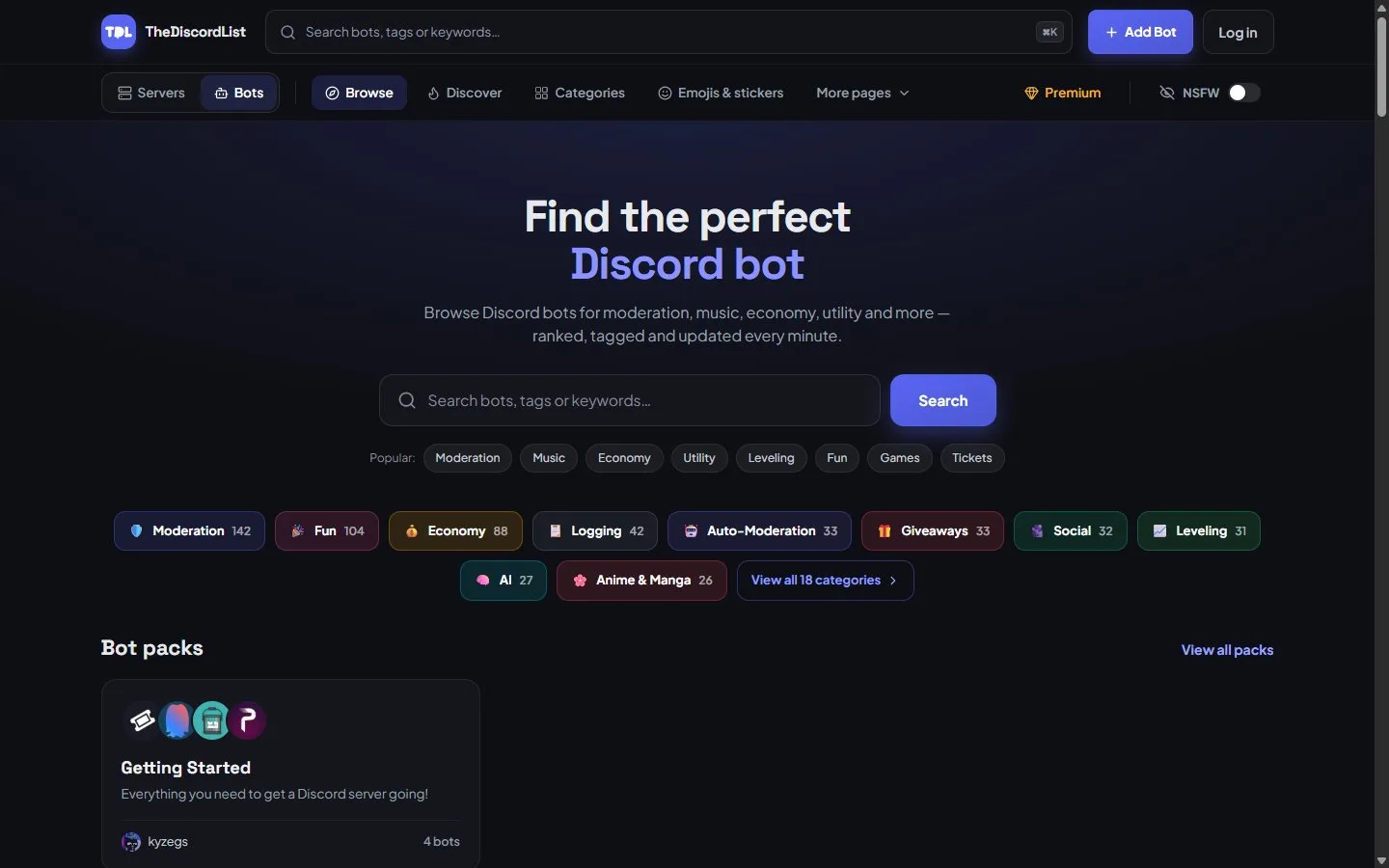
The bot directory on TheDiscordList: search, categories with counts, and hand-picked bot packs.
Ownership you can prove
Paste your Application ID and the wizard pulls in your bot's name, avatar and flags. To verify, you put a short code in your application's description in the Developer Portal. Only someone with portal access can do that, so nobody else can list your bot. Every bot is then reviewed by hand. If we already imported your bot from another list, verify and choose Claim this bot to take it over.
A listing your bot maintains
Generate a token under Manage → API and your bot can:
| Endpoint | What it does |
|---|---|
POST /api/bots/{bot}/stats |
Post server and shard counts |
POST /api/bots/{bot}/commands |
Publish your slash commands to the listing, straight from Discord's own command objects |
POST /api/bots/{bot}/heartbeat |
Report that your shards are alive, for status pages |
The commands card is the part server owners read most: real command names and descriptions, updated when your bot updates. The full reference, with an OpenAPI document, is at thediscordlist.com/docs/api.
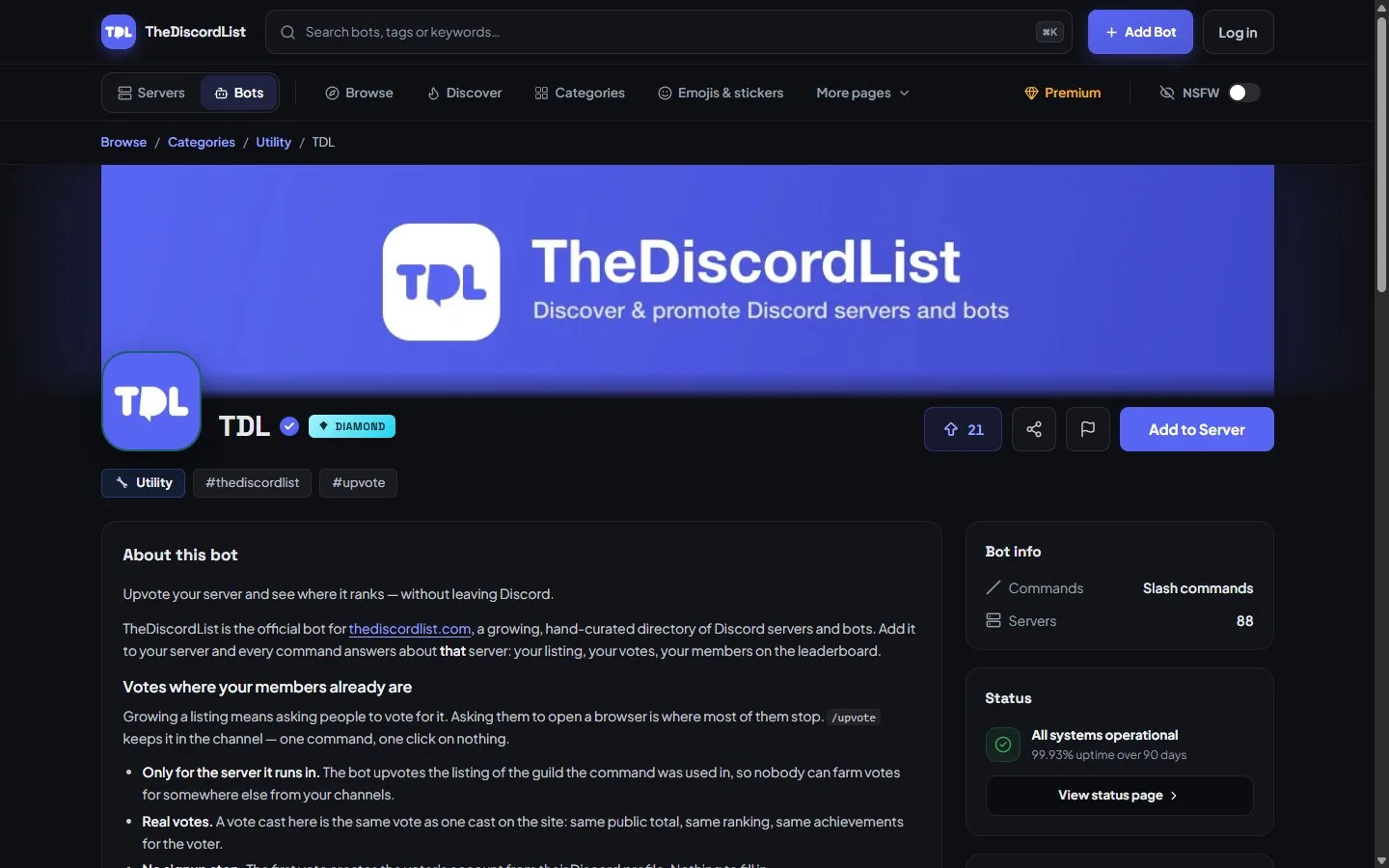
A bot listing on TheDiscordList. Server count, commands and the live status card all come from the bot.
A ranking that gives new bots a chance
The default Recommended order is a weighted draw, not a frozen leaderboard. How recently a bot was listed carries the heaviest weight, alongside bumps, installs, upvotes and views. Bots bump every eight hours, like servers, and the separate leaderboard ranks bots by bump points, upvotes and server count for anyone who wants a straight ranking.
Events back to you
Webhooks send listing.upvoted, bot.added, bot.stats_reported and bump events to your backend as signed JSON, or as a formatted message if you paste a Discord webhook URL. Upvotes come with the voter's Discord ID, so you can reward them in your bot.
Status pages and a badge
On Gold and above, the heartbeat endpoint powers a hosted status page with uptime history and an uptime badge for your README. Every listing, free or paid, also gets a server-count badge.
Found where people already look
Bot categories and tags are scoped to bots, so a Moderation page lists moderation bots, not servers. Bot packs group bots into starter sets that server owners add one after another. And assistants such as Claude and ChatGPT can search the directory through our MCP server, matching your listing on what it does rather than its name.
Other bot lists
There are smaller lists too, such as discord.bots.gg and Discord Bot List. They are worth a listing if you have the time, mostly for the extra backlinks and occasional installs. Prioritise any that verify ownership and take stats from your bot.
Get listed in four steps
- Your bot: paste the Application ID.
- Verify: drop the code into your Developer Portal description.
- Bot setup: prefix or slash commands, support server, and the invite permissions you actually need. Ask for less than Administrator: server owners notice.
- Listing details: summary, description, categories and tags.
Listing is free. Add your bot, then post your first stats and commands so the page fills itself in.