
Discord Bot Verification: What It Takes to Pass
Verification lifts the 100-server cap, and you can apply once your bot is in 75 servers. Privileged intents are now reviewed separately, once 10,000 users can see your app.
Verification is not a quality badge. It is the permission Discord grants for your bot to keep joining servers past a cap. Since June 2026, the review of what data your bot reads, privileged intents, is a separate process with its own trigger.
What verification actually gates
An unverified bot can only join a limited number of servers. Past that ceiling, invites simply fail. The cap is 100 servers, and you can apply once your bot is in 75.
The practical consequence is that growth stops dead, mid-week, with no warning to your users beyond a failed invite. Apply before you are close, because review takes time and there is no expedite queue.
Verification also puts the checkmark on your bot's profile and is a prerequisite for appearing in Discord's own app directory.
Privileged intents are reviewed separately now
Three gateway intents are privileged: Presence, Server Members and Message Content. Since 10 June 2026, access to them is reviewed on its own and triggered by reach rather than server count: once more than 10,000 unique users can see your app across its servers, you have 90 days to apply, and approved apps reapply every year. Each intent you request has to be justified, and a bot that requests none has nothing to review.
Before applying, go through your code and answer honestly:
- Message Content. Do you read the text of messages that were not directed at you? Prefix commands need this. Slash commands do not. If your bot still runs on
!prefixes, porting to slash commands removes the hardest intent to justify. - Server Members. Do you need the whole member list, or only the member in the interaction you already received? Welcome messages and role sync need it. Most command bots do not.
- Presence. Do you need online status and activity? Very few bots genuinely do. This is the intent most often requested out of habit.
Write each justification as a specific feature plus a specific behavior. "The bot scans messages for invite links to enforce the server's advertising rule" is reviewable. "For moderation features" is not.
Prepare these before you submit
- A developer Team. The application has to be owned by a Team, and every Team member needs two-factor authentication. Move the app into one before you apply; this is the most common trivial blocker.
- A verified email on that same account.
- Identity verification. Discord verifies the Team owner's identity through Stripe. Set aside time for it and use a real government ID.
- A privacy policy and terms of service, publicly reachable at stable URLs and linked in the application. The privacy policy has to describe what you store, why, for how long, and how a user requests deletion. A copied template that contradicts your bot's behavior is worse than a short honest one.
- A description that matches the code. The reviewer reads the description, the intents and the commands together. Inconsistency between them is a rejection.
- A bot that is online. It must be running and functional when reviewed.
What gets applications rejected
- Requesting Message Content when every command is a slash command.
- One-line justifications, or the same paragraph copied across all three intents.
- A privacy policy listing data types the bot never touches, or omitting ones it stores.
- A bot that is offline during review.
- Gating or selling behavior in ways that conflict with Discord's developer terms.
- Storing message content indefinitely without disclosing it.
Rejection is not fatal. You get feedback, you fix the named issue, you reapply. The common pattern is: drop the intent you could not justify, ship that feature a different way, resubmit, pass.
Design for the review before you need it
If your bot is young, the cheapest move is building it so verification is boring:
- Slash commands only, from day one.
- Fetch the specific member or message you need through the API instead of caching everything from the gateway.
- Store the minimum: IDs and settings, not message text.
- Keep a real support server and a public changelog. It helps the review and it helps users.
Verification also shows up outside Discord. On TheDiscordList, a verified bot carries the check mark next to its name on its listing and in every card, which is one of the first things server owners look for before they press Add to Server.
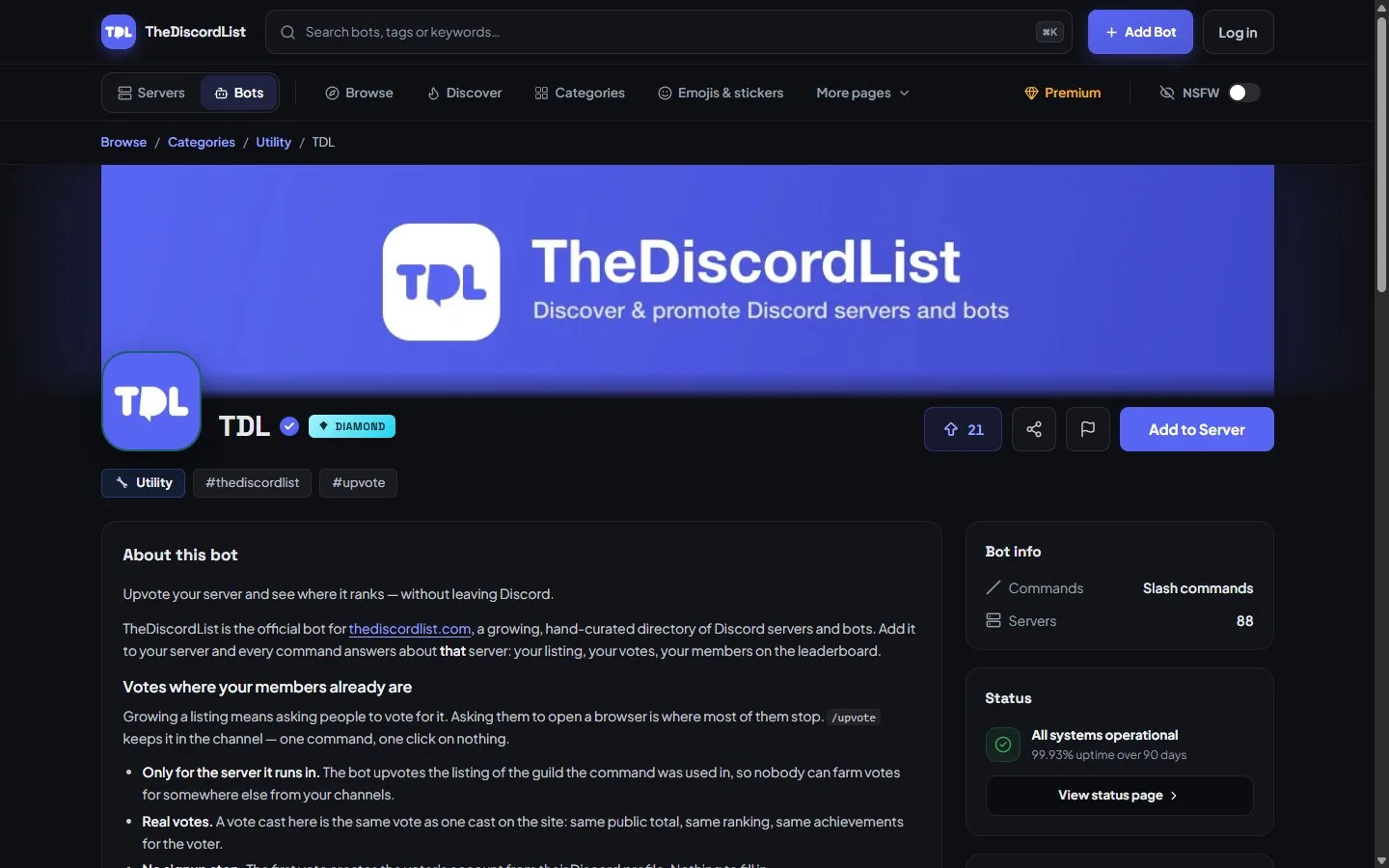
A verified bot on TheDiscordList: the check mark sits next to the name on the listing and on every card.
While you wait
Review times vary and there is nothing to do but keep the bot healthy. Use the window on the part most developers neglect, which is distribution. Write a listing that names the exact commands, states which privileged intents you request and why, and links the privacy policy. That same clarity is what a server owner auditing your bot wants to see, and it belongs in the bot directory under the category matching what you built.
Open the Developer Portal now and check two things: whether the app belongs to a Team with 2FA on every member, and whether you can justify every privileged intent in one concrete sentence. Fix those before you touch the application form.