
Discord Server Discovery: How to Qualify and Get Listed
Discovery is Discord's own server browser, and the entry bar is mostly activity and safety hygiene rather than raw member count. Here is what gets checked, what gets servers removed, and where to find traffic while you wait.
Server Discovery is the directory behind the compass icon in the Discord client. Getting in costs nothing, but the checks are automated and they weigh retention and moderation hygiene far more than headline member count.
What Discovery is, and what it is not
Discovery is a keyword and category search over servers that have opted in and passed eligibility. Someone types "minecraft smp" or "study group", and Discord matches against server names, descriptions, keywords and categories.
It is not the Partner Program and not the Verified badge. Those are separate programmes, both currently closed to new applications, and being in Discovery does not put you in line for either.
The important thing: the eligibility panel lives in Server Settings under Discovery, and it shows a live checklist of every requirement with your server's current number next to it. Discord has changed those thresholds several times. Trust the panel over any article, including this one.
The five gates
Community must be on. Discovery is only offered to Community servers. Flipping that switch requires a verified email for members (the Low verification level), the explicit media filter applied to every member, a rules channel, and a community updates channel that only moderators can see.
Size and activity. You need at least 1,000 members, alongside minimums for weekly visitors and weekly communicators. A visitor opened the server. A communicator actually sent a message. Five thousand lurkers can still fail the activity checks, and below 1,000 members you cannot qualify at all.
Retention. Discord looks at the share of recent joiners still active a week later. This is the gate most servers fail, and the one you cannot game, because dumping invites into raid-trade servers drives it straight down.
Age and standing. The server has to be at least eight weeks old, moderators need two-factor authentication on their accounts, and the server needs a clean record. Recent Trust and Safety strikes against the server or its owner disqualify it.
Profile completeness. A primary category, a description, search keywords and a declared language, plus a server name, description and channel names that pass Discord's clean-content check. A banner is not required; it is a Level 2 boost perk.
Fix retention before you fix anything else
Everything else on the list is a settings change you can do in an afternoon. Retention is the one that takes weeks, so start there.
- Cut the channel list. A new member who sees forty channels picks none of them. Route onboarding to two or three, and archive anything that has not had a message in a month.
- Put a greeting rota on the calendar. Two people whose job is to reply to every introduction, by name, within a few hours.
- Give new members something to do in their first session. A question of the day, a role picker, a starter thread. The metric that predicts week-one retention is whether they sent a single message on day one.
- Watch Server Insights rather than guessing. It breaks out joins, retention and which channels people actually open.
Write the listing like a search result, not a slogan
Your description is the snippet a stranger reads before deciding. Lead with what the server is and who it is for, in plain words, in the first sentence. "Valorant team finding and scrims for EU players, ranked Diamond and up" beats "the friendliest gaming family on Discord" every time.
For keywords, use the terms people type, not your branding. Your server name is already indexed. Spend the keyword slots on the game, the topic, the region and the activity. Pick the primary category that matches how a searcher would narrow down, and check what the established servers in that space are calling themselves by browsing a category such as community servers or the top-ranked servers.
Why servers drop out again
Eligibility is re-evaluated continuously, not once. Servers get pulled when weekly activity slides under the threshold, when retention decays after a growth spike, when a moderation strike lands, or when the Community requirements get switched off. If you disappear from Discovery, open the same settings panel first. It will usually name the failed check.
Where to get traffic while you do not qualify
Discovery is a reward for a server that already works. It is not a growth channel for a new one, which is the trap most owners fall into.
In the meantime: list the server on third-party directories where the bar is lower and the search intent is the same. Pick accurate categories and tags rather than every tag that vaguely fits, keep the description written for a stranger, and bump on a schedule so the listing stays near the top of recent activity. Where you need a faster result, promoted placement puts the listing among the promoted cards on browse pages while your Discovery metrics catch up.
Also worth doing: partner with two or three servers of similar size in adjacent topics and follow each other's announcement channels. That sends people who already use Discord daily, which is exactly the profile that survives the week-one retention check.
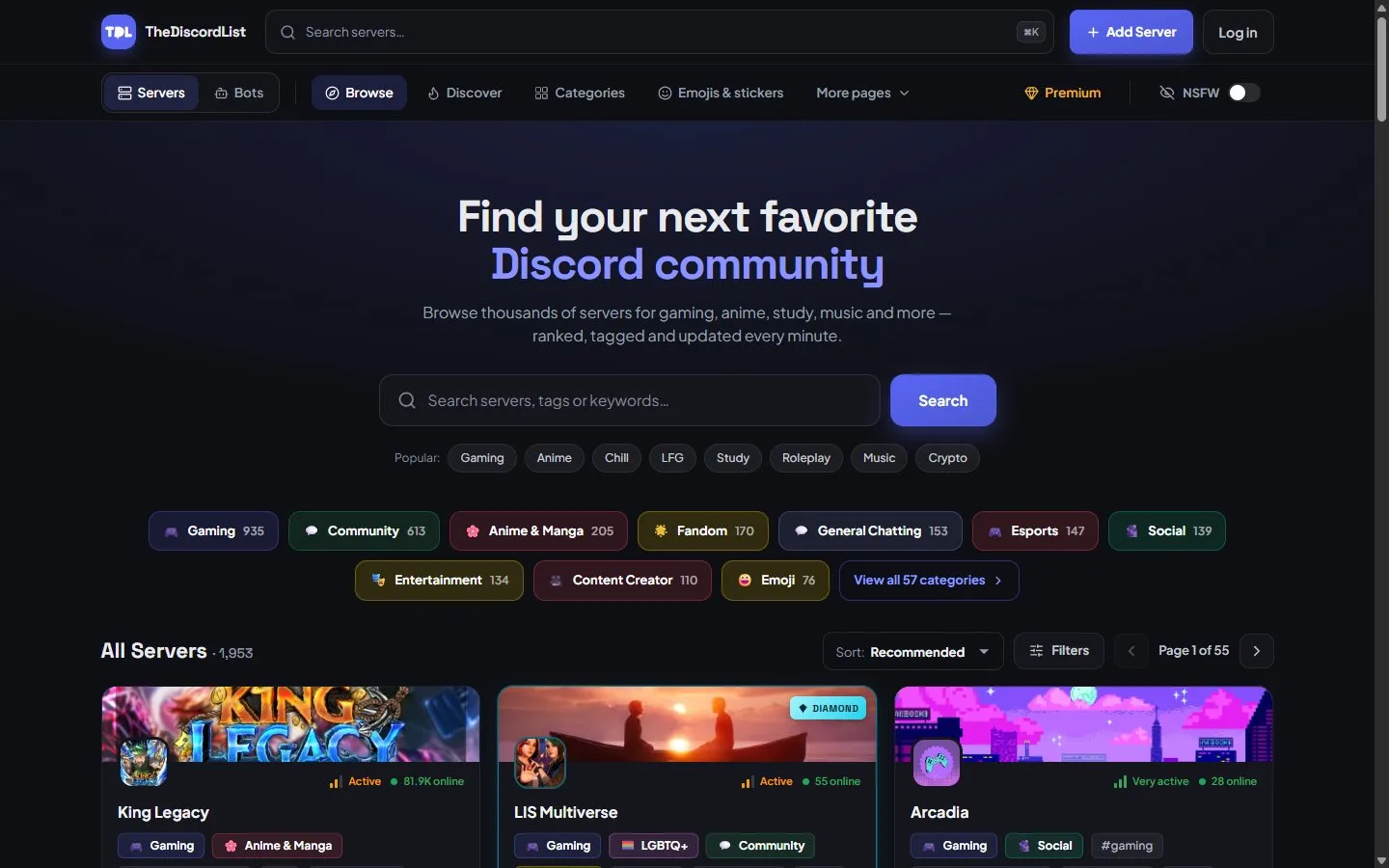
A directory listing does not need 1,000 members or an eight-week history. It is live as soon as it passes a quick automated review.
Do this next
Open Server Settings, go to the Discovery tab, and write down every failed check with the current number beside the required one. If retention is the failing line, do not touch the listing copy yet. Spend the next month on the first-session experience and re-check.