
How to Make a Discord Bot: A Beginner Guide
A working Discord bot is about thirty lines of code and a token. What actually stalls beginners is intents, the permissions model, and hosting that stays awake.
You can have a bot answering a slash command in about twenty minutes. The code is the easy part. What stalls beginners is the application/bot split in the Developer Portal, gateway intents, and hosting that falls asleep.
First, decide whether to build one at all
Most "I need a bot for X" problems are solved already. Reaction roles, logging, welcome messages, leveling, tickets, and auto-moderation all have mature bots with millions of installs. Building your own means you own the uptime, the outages, the API changes, and the security.
Build your own when the behavior is specific to your community (a custom application flow, an integration with your own game server, a scoring system nobody implements), when data has to stay on infrastructure you control, or when the bot is the learning project.
Otherwise spend ten minutes in a Discord bot directory first. A maintained utility bot that does 90% of what you want beats a custom bot you abandon in six weeks.
Register the application and get a token
In the Discord Developer Portal:
- Create a New Application. The application holds the name, icon, description and OAuth2 settings.
- Open the Bot tab. That is the account your server will see.
- Reset and copy the token. A token is full control of your bot. Put it in an environment variable, never in the source file, never in a screenshot. If it leaks, reset it immediately.
- To keep a half-finished bot private, first set Installation → Install Link to None, then turn off Public Bot. Discord will not save a private bot that still has a default install link.
Understand intents before you write code
Gateway intents are subscriptions that tell Discord which events to send you. Ordinary things like slash commands arrive with no special setup. Three intents are privileged and must be toggled on in the Bot tab: Presence, Server Members, and Message Content.
Message Content is the one that surprises people. Without it, your bot receives message events with an empty content field, so old-style prefix commands (!ping) silently do nothing. Slash commands work without it. Build on slash commands and you skip the problem entirely, which is also what Discord expects once your bot grows.
Write the first command
Pick a library in a language you already know: discord.js for JavaScript, discord.py for Python, JDA for Java, serenity for Rust. Ignore tutorials older than a couple of years; the command system changed and their code will not run.
The minimum shape of every bot is the same:
- Create a client and declare the intents you need.
- Register your slash commands with Discord. Register them to a single test guild while developing, so half-built commands stay off every other server.
- Listen for interaction events, match the command name, and reply.
- Log in with the token.
Reply to every interaction within a few seconds or Discord marks it failed. If your command calls a slow API, acknowledge first with a deferred reply and edit the response when the work finishes.
Invite it with the smallest useful permission set
Build the invite in the OAuth2 URL generator. Tick the bot scope, which now includes applications.commands, then pick permissions. The Installation tab is also where you decide whether people can install your app to their own account as well as to a server.
Do not tick Administrator. It is the fastest way to get your bot rejected by careful server owners, and it turns one bug into a wrecked server. A bot that posts messages needs Send Messages, View Channel and Embed Links. Add Manage Roles only if it assigns roles, Manage Messages only if it deletes them. Any role it assigns must sit below its own role in the hierarchy.
Host it so it stays online
A bot holds a persistent WebSocket connection, so it needs a process that runs continuously. Free tiers that sleep after inactivity will disconnect it and your commands will time out.
A small VPS running the process under systemd or Docker is the boring, reliable answer and costs a few dollars a month. Whatever you choose, make sure it restarts on crash, keeps the token in environment variables, and writes logs you can read after an incident.
Once it is stable and public, put it where people can find it. Write a listing that names the exact commands, states the permissions you request and why, and file it under the bot categories that match what it does. On TheDiscordList, an API token from your listing lets the bot post its server count and command list to its page automatically; the API reference covers the endpoints. Your first ten servers will come from someone reading that description, not from your code.
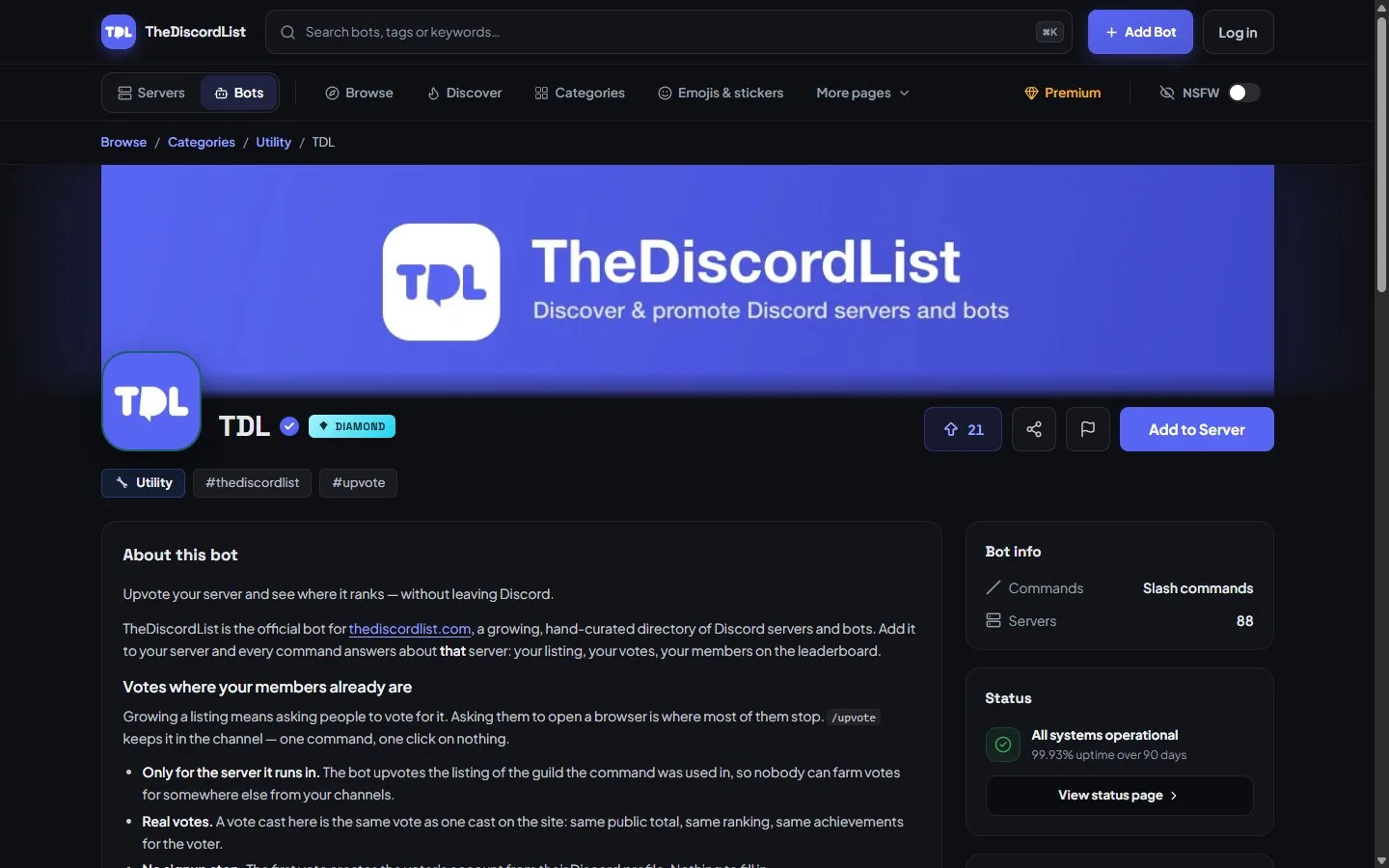
What a finished bot listing looks like: commands, server count and live status come from the bot itself through the API.