
Discord Bots Are Now Live on TheDiscordList
The bot half of the directory is finished. Browse, filter and compare Discord bots the same way you already browse servers — and list your own in four steps, with a real API behind it.

Servers were only ever half the directory. Discord runs on bots — the moderation bot that keeps a 40,000-member server calm, the music bot in the voice channel, the ticket bot behind support. Finding a good one has always meant trawling the same cluttered lists, so we built the other half.
Bot listings are complete and live. Browsing, filtering, ranking, commands, ownership verification, the API and hosted status pages all shipped. Here is what you get on each side.
Browsing bots
thediscordlist.com/bots is the bot catalogue. It works like the server directory, because you should not have to learn a second interface:
- Search by name, tag or keyword, with the same typo-tolerant search the servers use.
- Browse by category — Moderation, Music, Economy, Utility, Leveling, Fun, Games, Tickets and more.
- Sort by what you care about: Recommended, Bump score, Recently bumped, Upvotes, Servers or Random.
- Filter by category, tag, server count, Discord verification, premium status and NSFW.
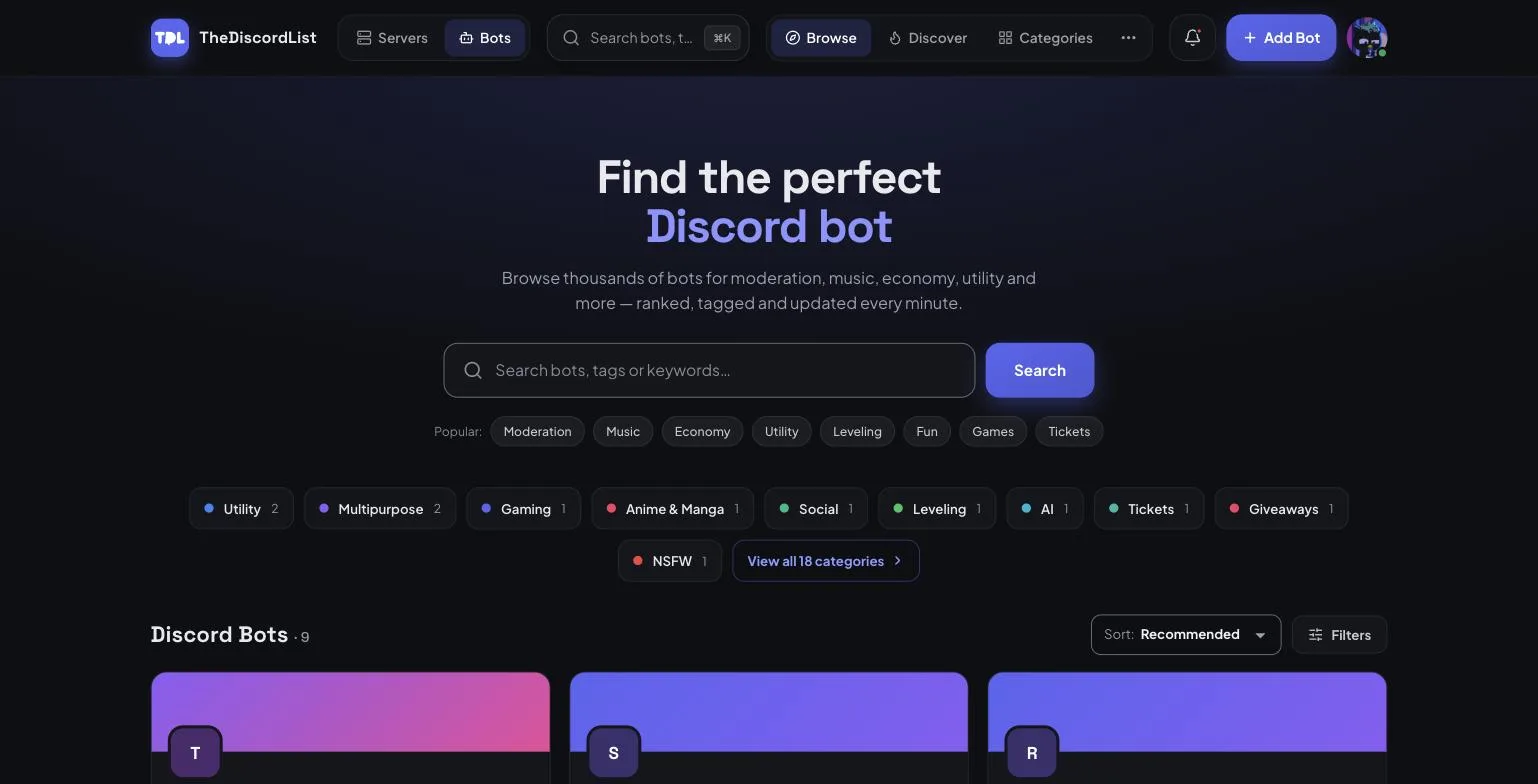
Cards you can compare at a glance
A bot card carries the things you actually decide on: what it does, whether it uses slash commands, how many servers it is in, its categories and tags, and an Add to Server button that goes straight to the real OAuth invite — no middle page.
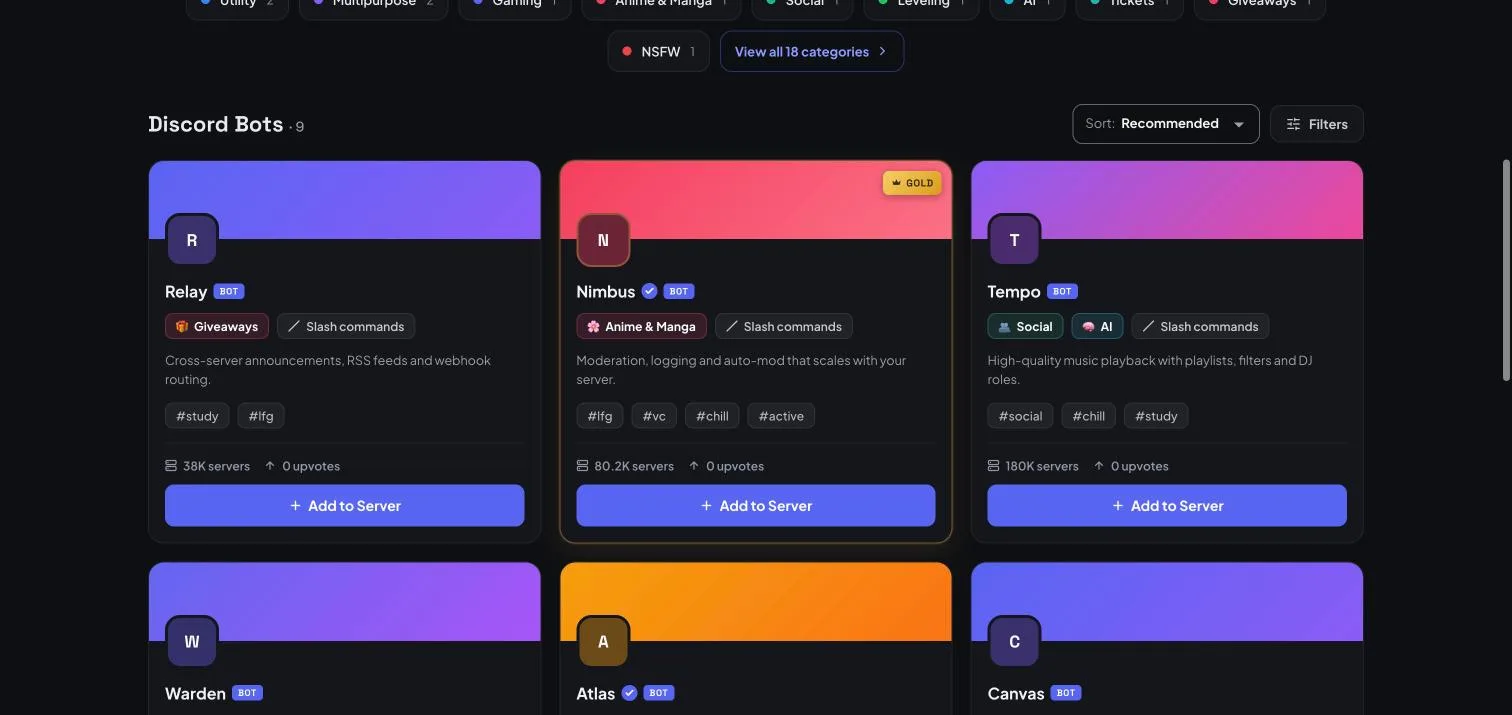
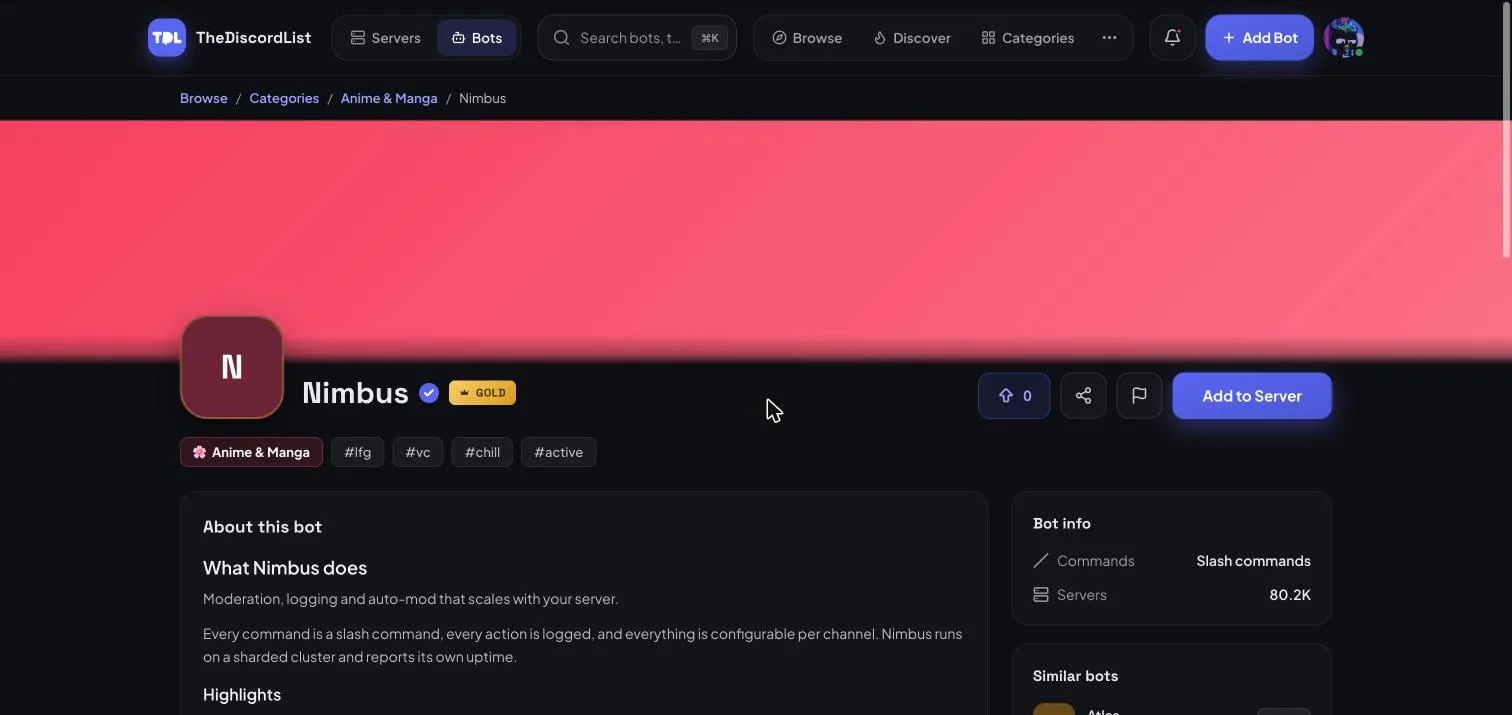
The bot page
Every listing gets a full page: banner, description, categories and tags, upvotes, a share link, and a report button if something is wrong.
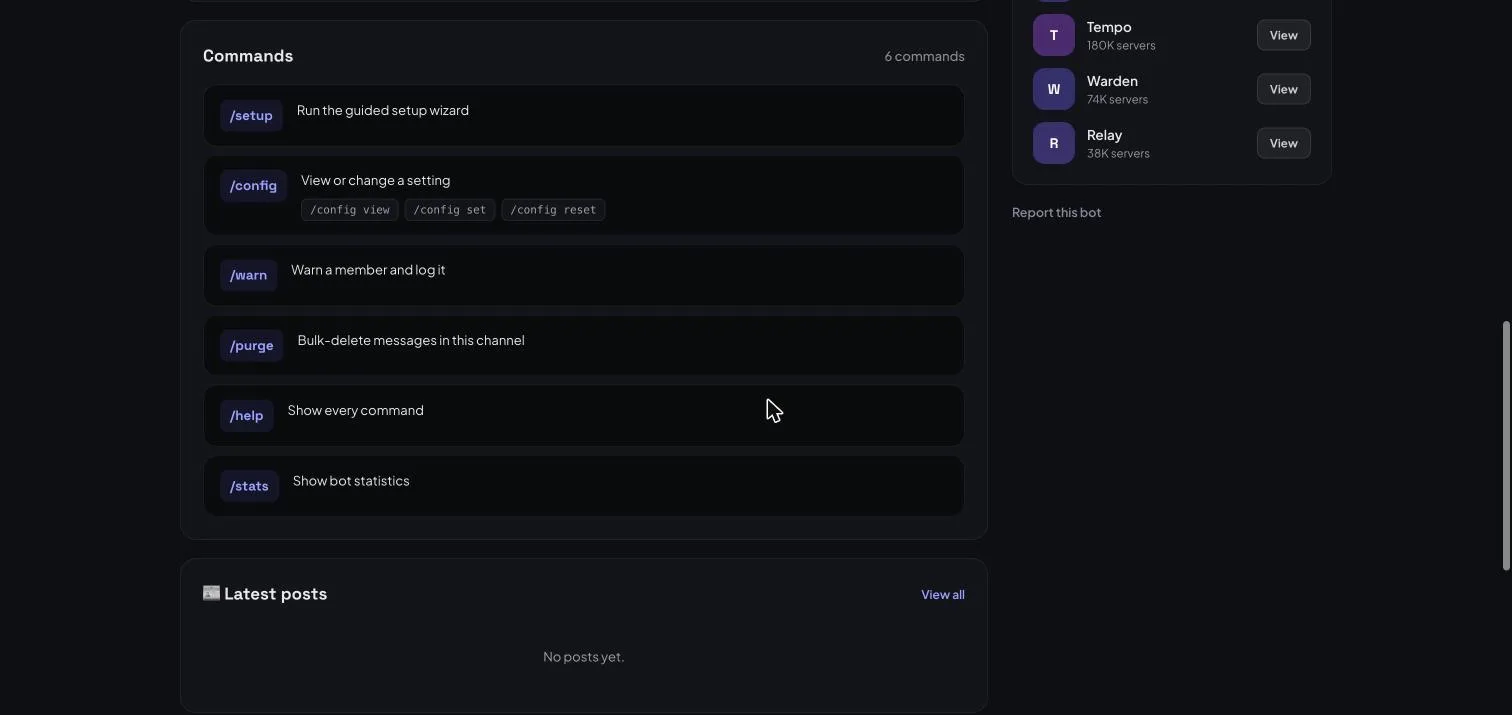
Real commands, not a screenshot of them
The thing most directories make you take on trust is what the bot can actually do. Bot developers can post their application commands to our API, and we render them on the listing — names, descriptions and subcommands included. The list updates when the bot updates, so it cannot quietly go stale.
Listing your bot
Adding a bot takes four steps, and the wizard does the tedious parts for you.
- Your bot. Paste the Application (Client) ID from the Discord Developer Portal. We look the application up and pull its name, avatar and public flags.
- Verify. We give you a short code to drop into your application's description in the Developer Portal. Only someone with portal access can edit that, so a match proves the bot is yours. You can remove the code once it verifies.
- Bot setup. Prefix or slash commands, support server, and the invite permissions you actually need.
- Listing details. Summary, description, one or two categories, and up to five tags.
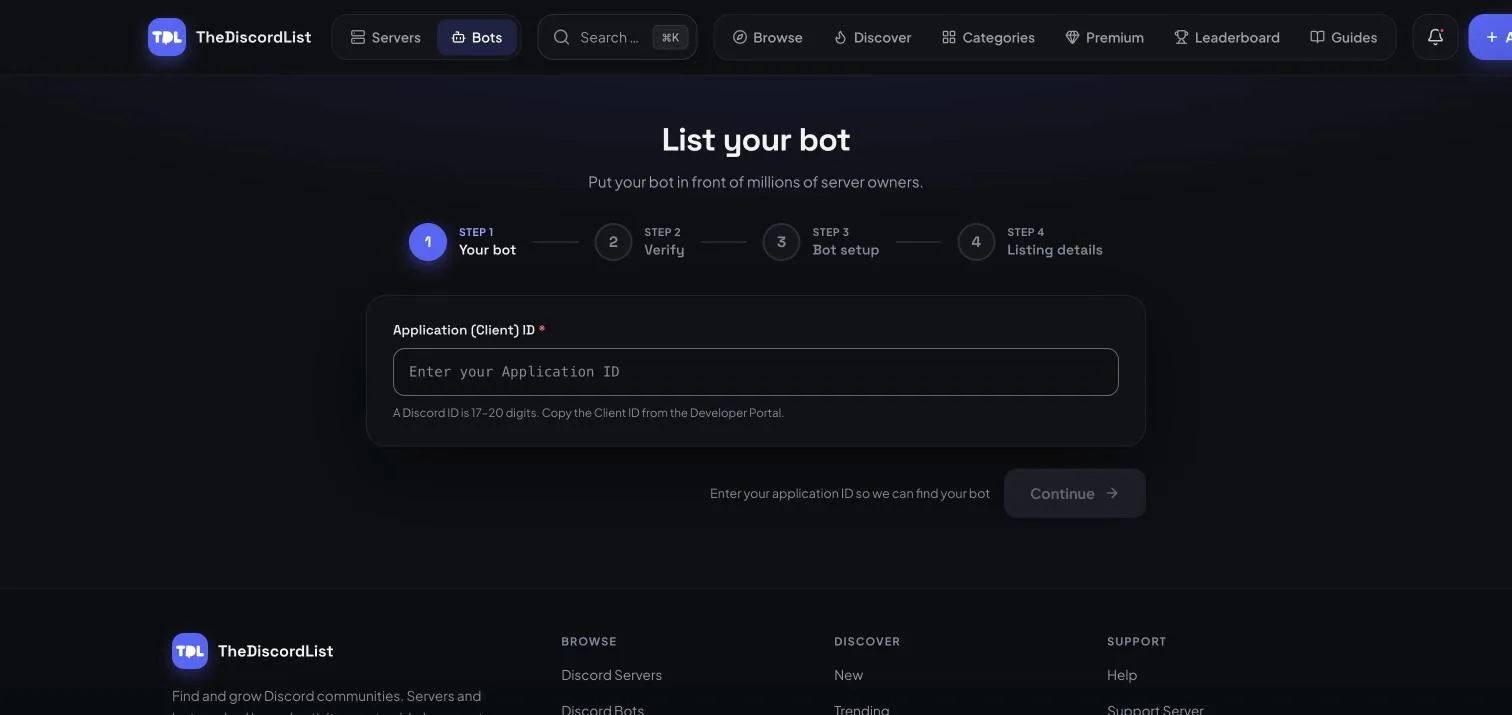
Ownership verification matters: without it, anyone could list anyone's bot. You can skip the Verify step and finish it later from your dashboard, but every bot is reviewed by hand and unverified bots are usually declined. If we already list your bot, verify ownership and choose Claim this bot to take it over.
An API your bot can talk to
Generate an API token under Manage → API. It authenticates three endpoints as a bearer token:
| Endpoint | What it does |
|---|---|
POST /api/bots/{bot}/stats |
Post your server count so the listing and rankings stay current |
POST /api/bots/{bot}/commands |
Publish your application commands to the listing |
POST /api/bots/{bot}/heartbeat |
Report that your clusters and shards are alive (drives status pages) |
The full reference is at thediscordlist.com/docs/api, with an OpenAPI document at /docs/api.json if you would rather generate a client.
Categories and tags, scoped to bots
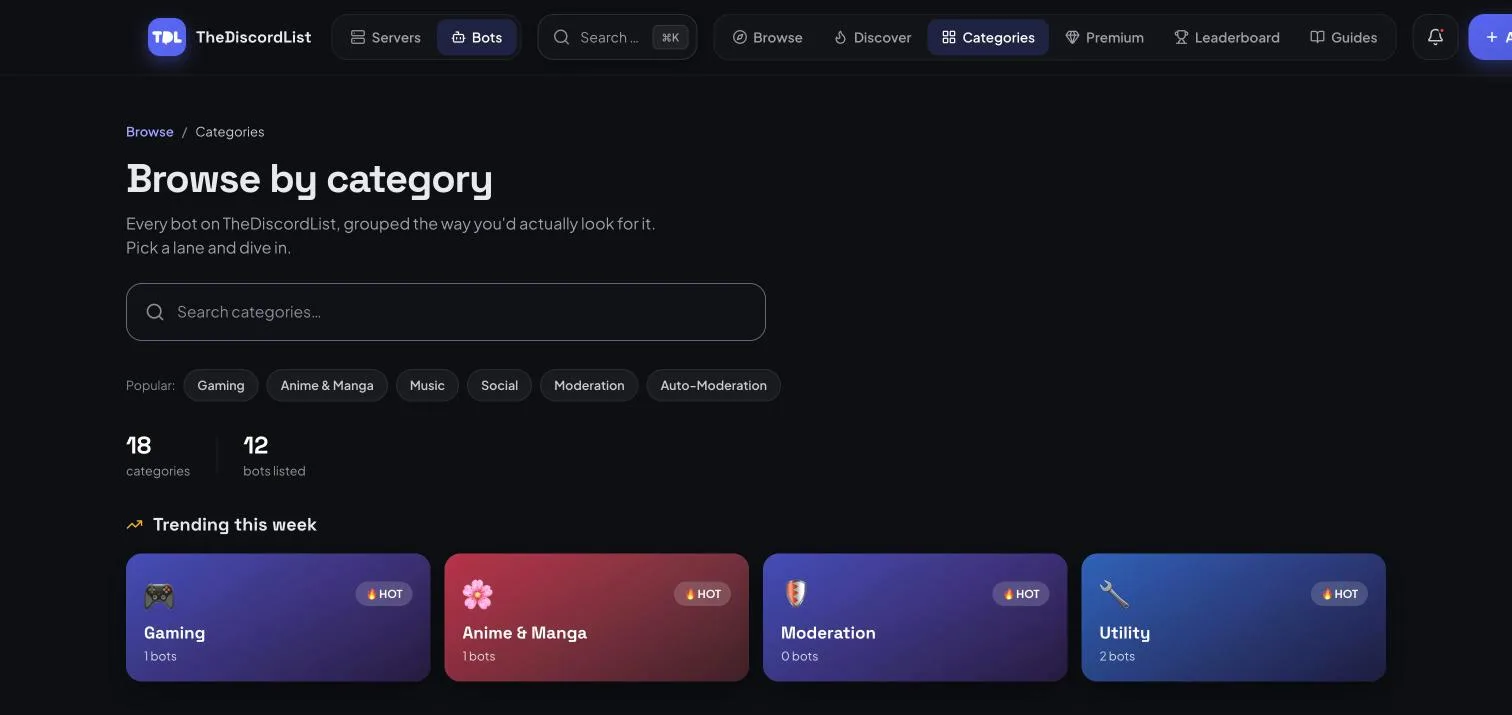
Bots have their own category directory and their own tag directory, separate from the server ones — so a Moderation category page shows moderation bots, not moderation servers, and a tag page never mixes the two.
What else came with it
- Bumping works for bots, exactly as it does for servers — bump to move back up the recently-bumped ordering.
- Upvotes on every listing, feeding the Upvotes sort.
- Posts — announce a release or a new feature from your listing.
- Premium tiers apply to bots, including extra links, more categories and more maintainers.
- Hosted status pages for gold and above, with an uptime badge for your README. That one has its own guide.
Get listed
If you run a bot, add it now. It takes a few minutes, verification is one copy-paste, and listing is free.
If you are looking for a bot, start at thediscordlist.com/bots — and check the commands list before you add anything. That is what it is there for.